
I work primarily on a Mac, but I've kept a Windows PC on my desk for years. One of the biggest reasons was EmEditor.
I'm a software engineer working in consumer data processing, so dealing with files that are several gigabytes, sometimes tens of gigabytes, isn't unusual. Whenever I needed to work with one of those files, I'd move it over to my Windows machine, open it in EmEditor, do whatever needed to be done, and move the results back. That was my workflow for years. I never spent much time looking for a macOS replacement because I already had something that worked.
The kinds of files I'm talking about
When I say large files, I'm not talking about a 100 MB document that takes a few seconds to open. I'm talking about production logs with 80 million lines, consumer exports with millions of records and dozens of columns, fixed-width files with different record layouts, and SQL dumps containing enormous INSERT statements.
And file size isn't always the biggest challenge. Sometimes the encoding is wrong, the delimiter isn't consistent, or you discover a malformed record several million rows into a file. You need to be able to inspect the data, figure out what's happening, make corrections, and verify that everything is right before moving on.
One project that comes to mind involved an attorney client of ours in North Carolina. He wanted a way to know when someone he had previously represented received a new ticket. To accomplish that, we needed to build a master list of his previous clients and compare it against new court records each day.
The state provides historical criminal and infraction extracts, but these aren't ordinary CSV files. Each file contains several different record types, including add, delete, attorney, hearing, and offense records. Each type has its own fixed-width layout, and they're all mixed together in the same text file. You can't just import the file as a table and start filtering columns. You first have to identify each record type, interpret its layout, and extract the data you're interested in.
The five-year historical extract consisted of roughly a dozen files, each around 2 GB or larger. I used EmEditor to separate the record types, extract the records associated with his cases, and build the master file we'd use for subsequent comparisons. All of that work happened on Windows, despite my primary development machine being a Mac.
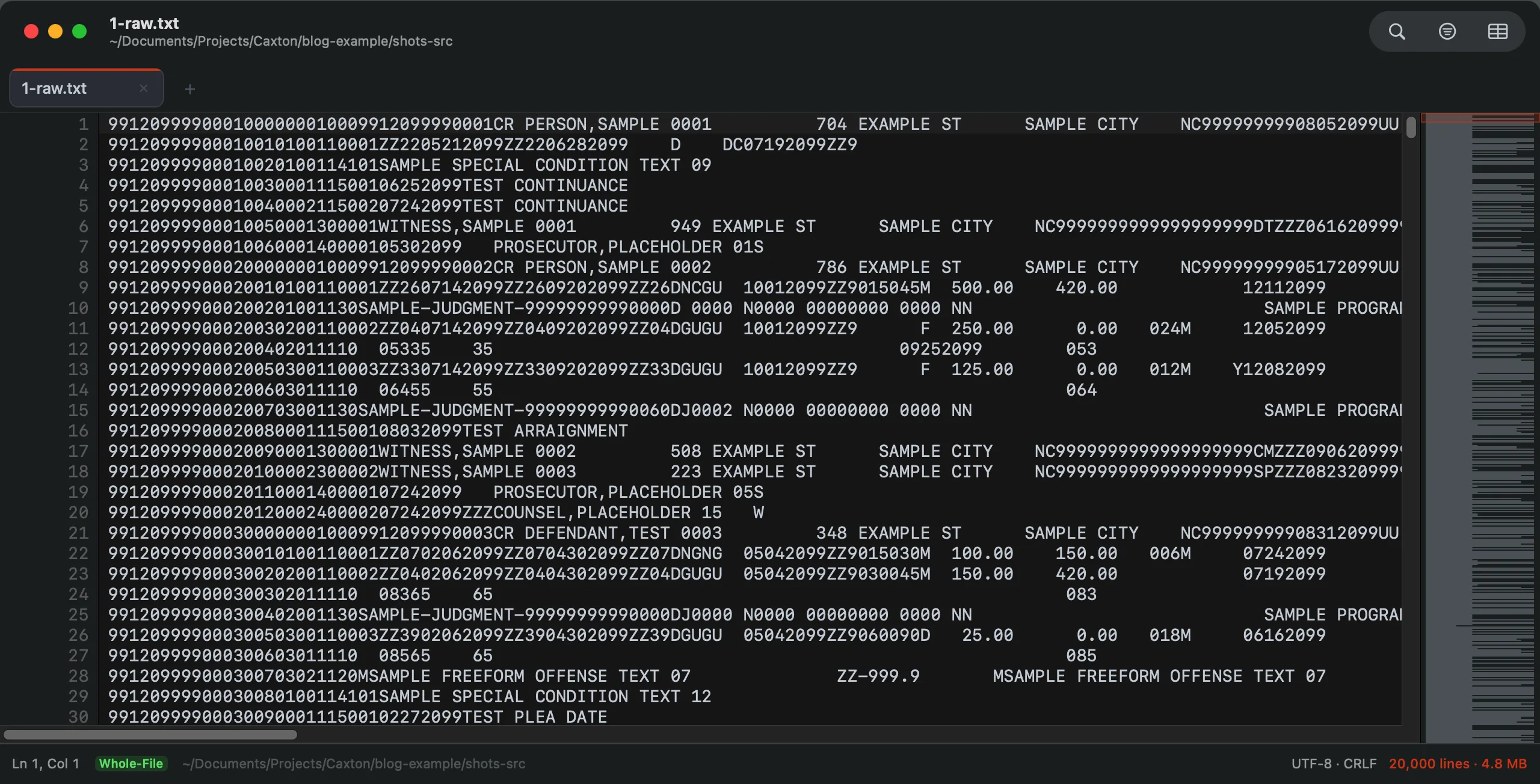
A synthetic extract in the shape of the state files: case, offense, event, witness, and attorney records interleaved in one fixed-width text file, no delimiters, each record type its own width. Layout modeled on a state court extract; all data fictional.
Why I wasn't just using terminal tools
Whenever someone asks how to open a massive file on macOS, a few recommendations almost always come up. And they're good recommendations.
If I just need to inspect a file, less is excellent:
less huge.logIt doesn't need to load the entire file into memory, so even very large files can be opened without much trouble. If I know exactly what I'm searching for, grep is another obvious choice:
grep -n "ERROR" huge.log > errors.txtFor structured data, DuckDB is especially useful:
duckdb -c "SELECT count(*) FROM 'export.csv' WHERE status = 'FAILED'"I have no problem recommending any of these tools. They do their jobs well. But my workflow usually involves more than reading a file or running a single query.
Sometimes I don't know exactly what I'm looking for until I start exploring the data. I might filter records based on one condition, inspect the results, notice something else worth investigating, and change the filter. Other times I'm correcting the data itself. I might need to replace a value across a million records, remove records that don't belong, or sort a column numerically rather than alphabetically.
Sure, I could accomplish much of that with a collection of terminal commands or scripts. I've been writing software long enough to know how. I just don't always want to.
When I'm investigating a file, I prefer being able to see the data, make changes, and immediately inspect the results without having to create a separate script or output file for every step. That's one of the reasons I stuck with EmEditor for so long. It gave me a single place to do all of that.
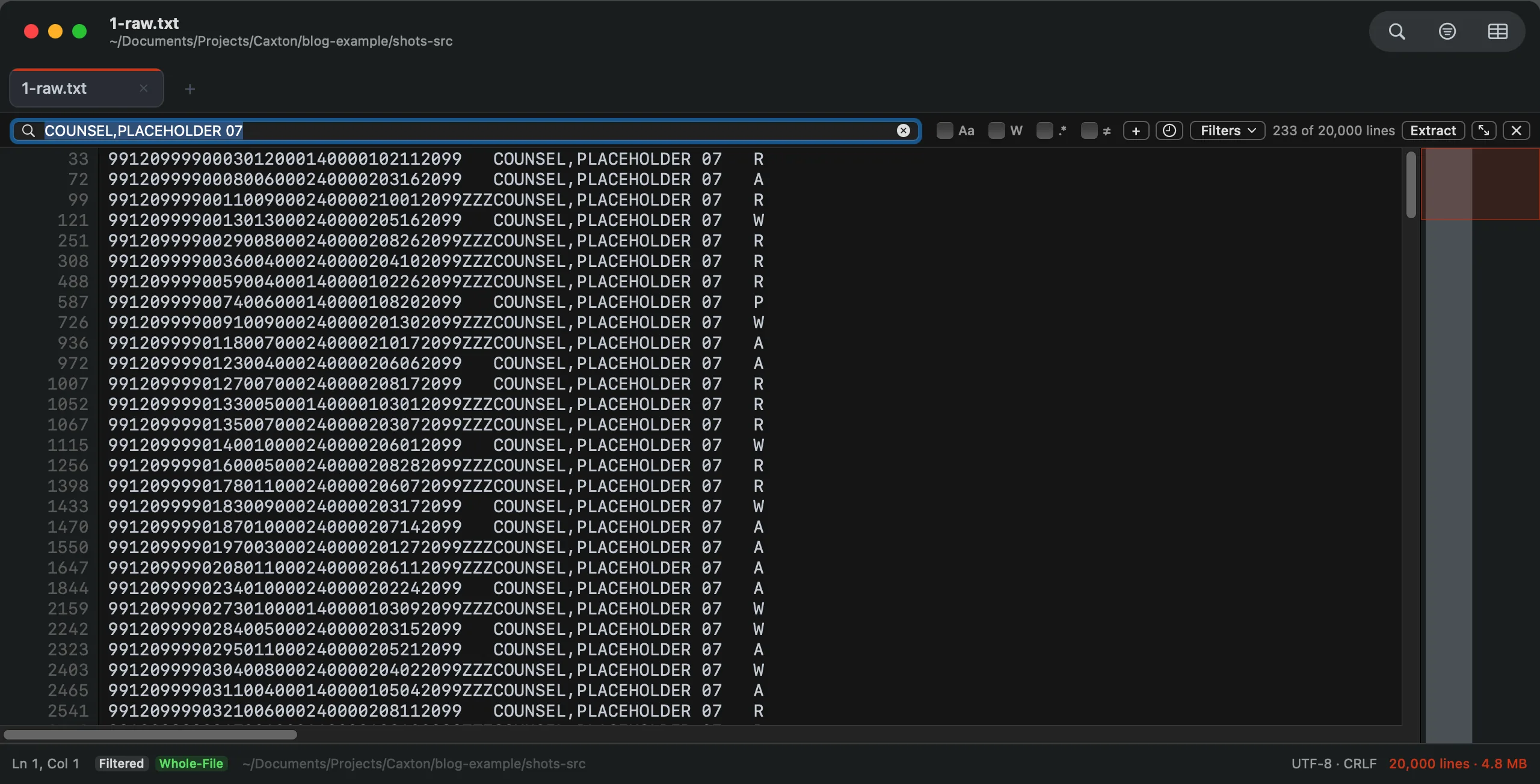
The same file filtered to one defense attorney's records in Caxton: 233 of 20,000 lines, original line numbers kept, the whole file still one document.
Verification is another important part of the process. If I replace something across a million occurrences, I want to know how many replacements happened. I want to inspect the results and be able to undo the operation if I made a mistake. It's one thing to search a 30 GB file. It's another to make changes to it and be confident the output is correct.
Working between two computers
EmEditor has been around for a long time, and there's a reason people recommend it for large files. It's exceptionally capable, and Emurasoft documents support for files up to 16 TB.
For my work, one of its most useful features has always been the ability to switch between editing raw text and working with structured data in a table. I could open a file, clean up malformed delimiters or unwanted records in text mode, and then switch to CSV mode to inspect the results as a table. That combination was important enough that I continued paying for EmEditor year after year.
The inconvenience was having to move everything between operating systems.
I should mention that switching computers wasn't nearly as bad as it probably sounds. I've used Synergy for years, so both computers share a keyboard and mouse. Moving between them is as simple as moving my cursor to another screen. The annoying parts were everything else.
Copying and pasting between the machines was never particularly reliable, so I couldn't depend on the clipboard when moving data around. Large files were transferred through a network drive mapped to our file server. At the time, our on-site hardware made transferring multi-gigabyte files painfully slow. Moving the original file over, doing the work, and transferring the results back could eat up a substantial part of the afternoon. Our hardware is considerably better now, but that wasn't the case for much of the time I used this setup.
I could have continued working this way indefinitely. It wasn't preventing me from getting anything done. But it did seem ridiculous that I needed a second operating system primarily because I couldn't find a Mac editor that handled these files the way I wanted.
Why large files are difficult for traditional editors
Most text editors are designed around loading a document into memory. For typical development work, that's perfectly reasonable. Source files are generally small enough that keeping the entire document in memory isn't an issue, and doing so makes editing fast.
That approach becomes problematic when a file is 10 GB, 30 GB, or larger. Even if you have enough RAM to hold the raw file, the editor may need significantly more memory for its internal representation, line indexing, undo history, and other features. This is why some editors struggle with files that are considerably smaller than the amount of available system memory.
There are macOS applications that can inspect very large files, but many are designed primarily for reading. Log viewers, pagers, and hex editors can all be useful depending on what you're trying to accomplish.
What I wanted was something closer to EmEditor: a native text editor where I could open an enormous file, search it, filter records, edit the contents, work with structured data, and save the results. I wanted to do that without having to think about whether the entire file would fit in RAM.
Building Caxton
Eventually, I decided to build it myself. I've spent the past year developing Caxton, a native macOS editor specifically designed for working with large text and structured data files.
A lot of the development effort has gone into how Caxton handles files internally. Rather than loading the entire document into memory, Caxton uses memory-mapped file access, a piece-table document model, and a tiered line index. The idea is to keep memory usage manageable regardless of the size of the file. Caxton only needs to work with the portions of the file required for the current operation. Opening a 30 GB file shouldn't require 30 GB of available RAM.
Of course, getting a file open is only part of the problem. Searching, replacing, sorting, filtering, and saving all have to work at that scale too. Those operations have been a major focus of development.
I also wanted the same flexibility I had with EmEditor, where I could work with raw text and then switch to a table when dealing with structured data. Caxton has separate Text and Table modes for that reason. I can edit a CSV or TSV as raw text, switch to a grid to inspect the columns, and continue working with the same file.
It's written in Swift using AppKit. I wanted it to be a proper native Mac application, not a web application packaged for the desktop.
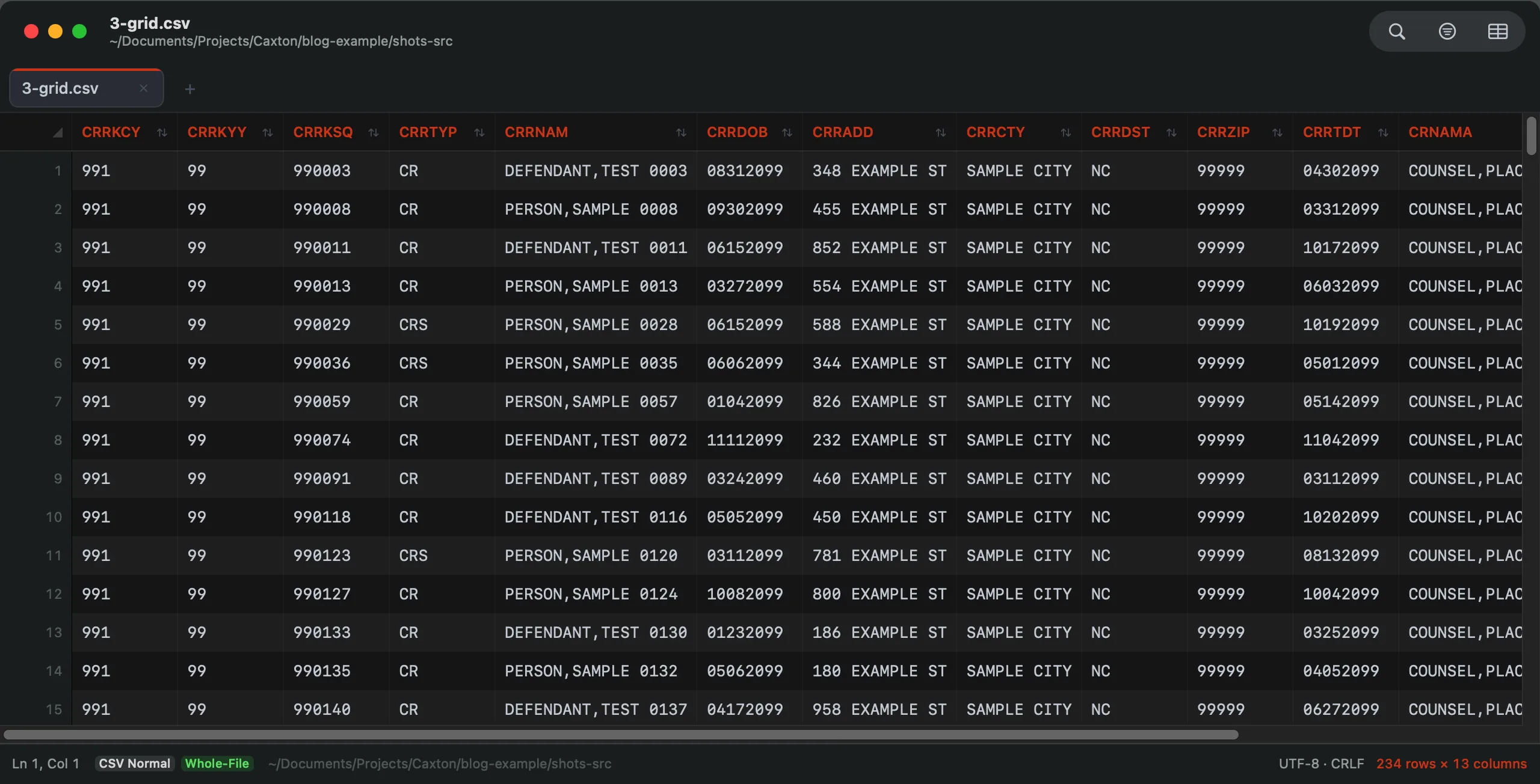
The people from those cases, boiled down to a master table and opened as a typed grid: 233 rows, 13 columns. All data fictional.
How it performs
I've spent a considerable amount of time benchmarking Caxton because supporting large files is the main reason it exists. On my M1 Max Mac with 64 GB of RAM, here are some results from my test harness:
| Operation | Result |
|---|---|
| Open and index a 10 GB log containing 80,610,954 lines | 3.7 seconds for background indexing |
| Search the entire file and find 1,613,344 matches | 1.0 second |
| Replace all 1,613,344 occurrences | 1.7 seconds |
| Open a 2 million-row CSV as a typed table | 2.3 seconds |
| Sort the CSV by a numeric column | 4.4 seconds |
The sort streams its output into a new document, leaving the original file unchanged.
These are measurements from my own hardware and benchmark harness, not numbers I'm claiming everyone will see on every machine. I've published the methodology and additional results at caxton.app/docs/benchmarks. If you're interested in how the tests were conducted, the details are there. And if you spot something that could be improved, I'm always open to technical feedback.
Am I done using EmEditor?
No, and I don't think there's any reason to pretend otherwise.
EmEditor has been developed for years and offers capabilities Caxton doesn't have yet. Its macro functionality, plugin ecosystem, and documented maximum file size are all legitimate advantages. If someone depends on those features, I'd still recommend EmEditor. Caxton is also a much younger application. There's plenty more I want to build, and I'm continuing to expand its capabilities.
But for the work that originally had me moving files between computers, I can now do most of it directly on my Mac. I can open the file, inspect it, search and filter the contents, make changes, work with the data in a table, and save the results without transferring everything to Windows first.
My Windows PC is still sitting on my desk. I just don't need to use it nearly as often. And considering how much of my work used to depend on EmEditor, that's a pretty significant change for me.
Caxton is a native macOS text editor built for large text and structured data files. If you regularly work with files that other editors struggle to open, you can try it free for seven days. No credit card required. Learn more at caxton.app