Requirements & installation
- macOS 13.0 or later, Apple Silicon or Intel.
- Download the disk image from the download page, open it, and drag Caxton to your Applications folder. The app is notarized by Apple.
- Or install with Homebrew:
brew tap hwyenigmallc/caxtonthenbrew install --cask caxton. On Homebrew 7 or later, runbrew trust hwyenigmallc/caxtonfirst if the tap asks for it. The cask installs the same notarized disk image, and the app updates itself. - Every download starts with a 7-day free trial of Caxton Pro, no credit card. See pricing.
Opening your first file
Open files the way you open anything on a Mac: drag a file onto the Dock icon, double-click it in Finder, or press ⌘O inside the app. Caxton does not impose a file-size ceiling of its own, and there is no import step; it memory-maps the file and starts indexing in the background while you work.
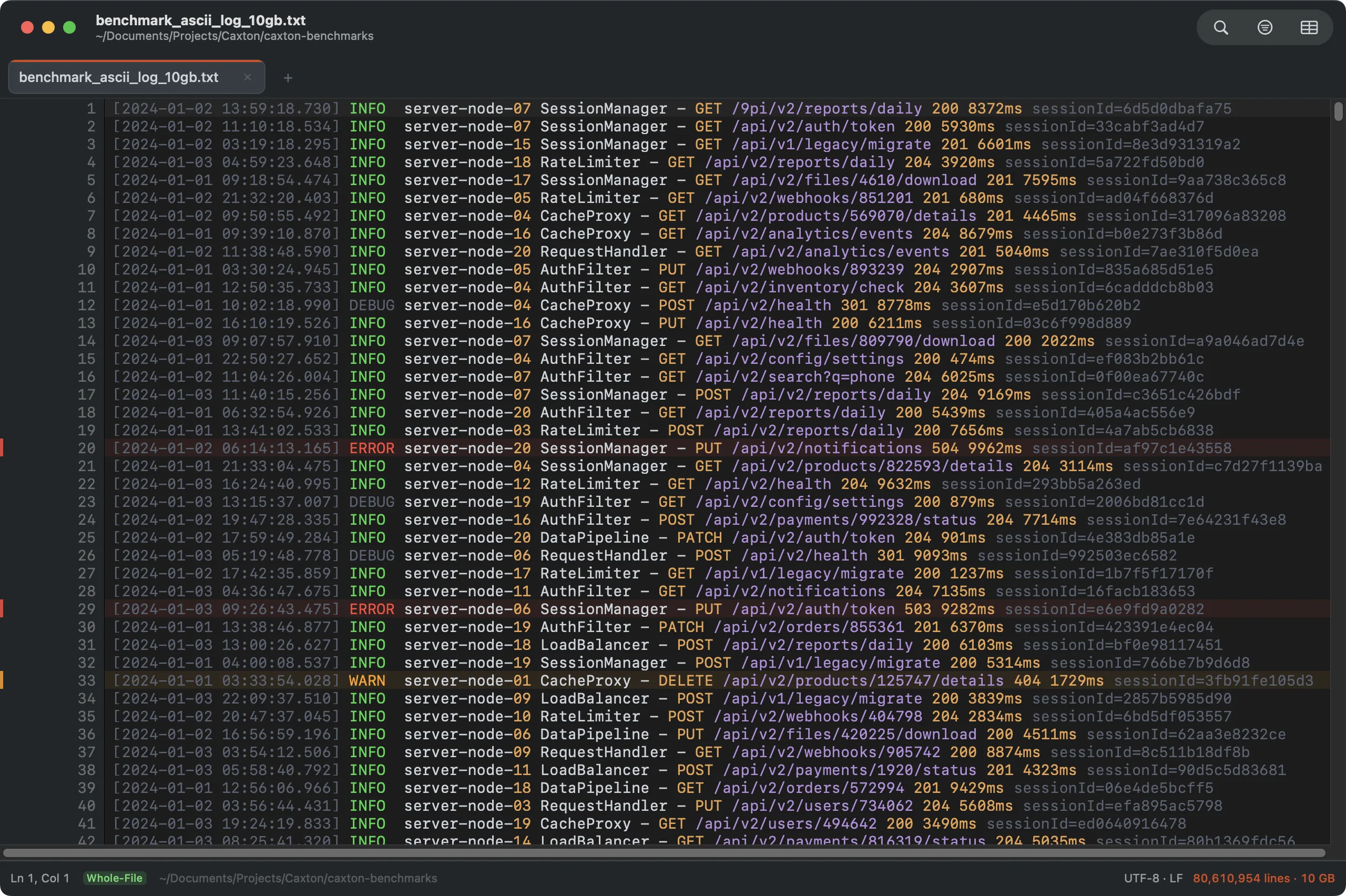
A 10 GB production log, open and fully usable. The status bar tracks the background index; this one finished all 80,610,954 lines in under 20 seconds.
The Welcome window
When Caxton starts with no window to restore, and when you click the Dock icon with no window open, it shows Welcome to Caxton. The left side holds Open File… (⌘O) and New Document; the right side lists up to ten recent files, each with its name and folder, and a double-click opens one. Below the two buttons, a line states the license and a button acts on it:
- During the trial the line counts the days left and the button reads Get Caxton Pro….
- After the trial the line says
Caxton Free: editing and saving are in Caxton Proand the button reads Activate a License…. - When a subscription has lapsed the button reads Renew…; while a subscription is offline or unconfirmed it reads License….
- With an active license the line and the button are hidden.
Each of these buttons opens the License window. The Welcome window takes the current theme and updates its line the moment a license is activated.
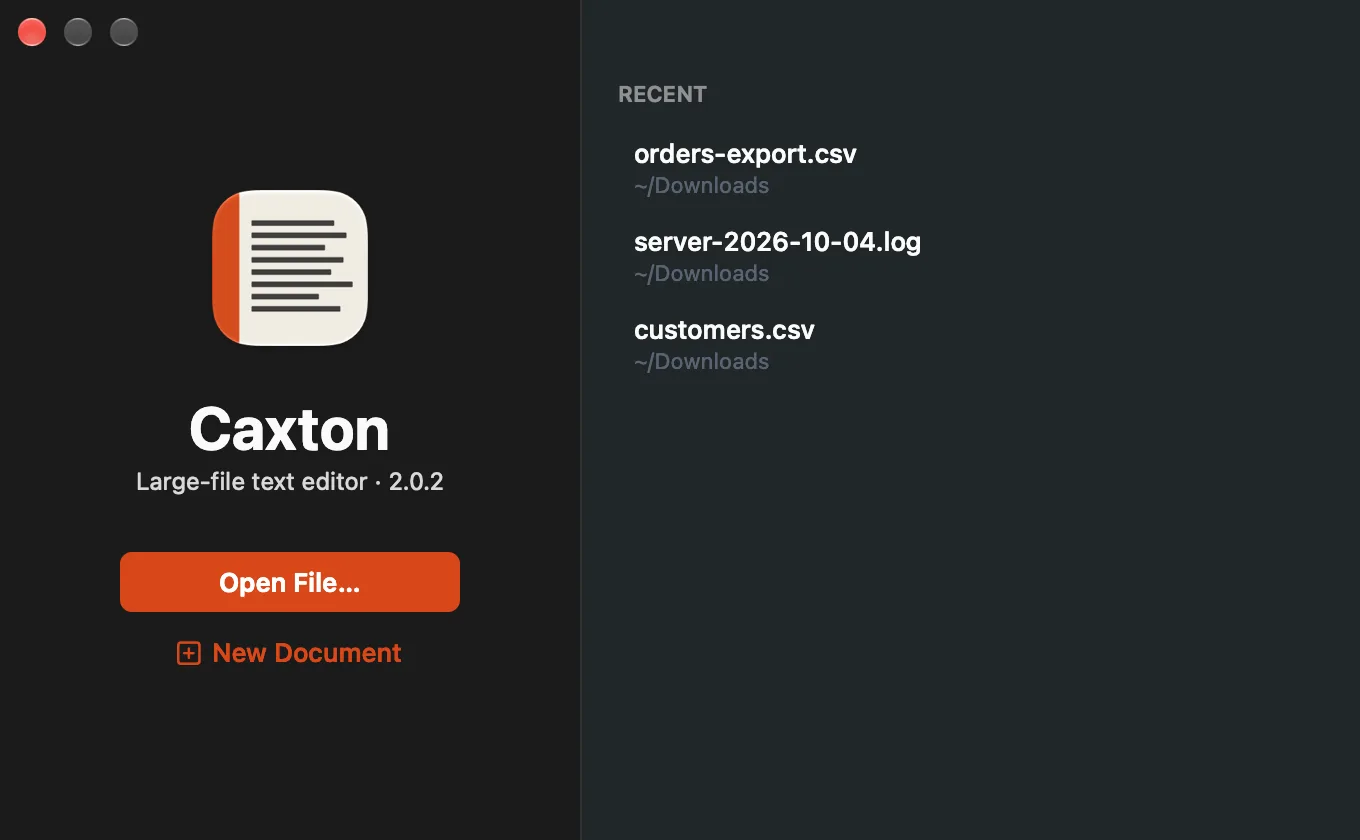
The Welcome window: open a file, start a new document, or pick up a recent one.
Two views of one file
Every delimited file (CSV, TSV, or any file with real table structure) has two views: text and grid. They are the same document, not a copy and not an import.
- The toggle. The CSV grid button in the toolbar switches between the two, and so does View ▸ CSV Grid View (⇧⌘C). A file with table structure opens in the grid on its own, whatever its extension; logs and prose open as text.
- Edits carry across. Change a cell in the grid and the text view shows the new bytes on that line. Type in the text view and the grid shows the new value. Undo covers both views as one history.
- Save writes the same file. There is no export step. Saving from either view writes the file you opened, and content you did not touch is not reformatted.
To try it without a file of your own, orders-export.csv is a 20,000 row orders export to try the grid on. More in CSV Workbench.
After the Caxton Pro trial
The 7-day free trial of Caxton Pro starts the first time you open Caxton, with every feature on, no card and no account. After the Caxton Pro trial, or when a subscription lapses, the app switches to Caxton Free. Nothing uninstalls and nothing locks, and editing resumes when you activate a license in Caxton ▸ License…. The License page covers activation, seats and working offline; plans are on the pricing page.
Caxton Free and Caxton Pro
Caxton Free opens files of any size, and you can scroll, search, filter, navigate, view a delimited file as a grid, compare two files and copy what you find. Anything that changes a file, saves it, or extracts to a new document is Caxton Pro, and that includes extracting filtered lines, bookmarked lines or an incident window to a new document. A refused action says it is in Caxton Pro and points to Caxton ▸ License….
The window at a glance
- Toolbar: from the left, the sidebar toggle, Back and Forward while the sidebar is open, the document's title, the Search Files or Commands field at the center of the window, the Find, Filter and CSV grid buttons, and the inspector toggle at the right end. Tail-mode documents add a Follow button. View ▸ Customize Toolbar… rearranges it and adds Save, Markers, Compare, Go to Line, Find in Files, Word Wrap, Split View and other buttons.
- Search Files or Commands: one field for opening files, running any menu command (type
>first) and going to a line or row (type:). ⇧⌘O and ⇧⌘P focus it. See Search Files or Commands. - Back and Forward: ⌃⌘← returns to where the caret was before a jump, and ⌃⌘→ goes forward again. See Navigation & Bookmarks.
- Sidebar: a column at the left (⌃⌘S) with seven panels: File Browser, Open Documents, Bookmarks, Search Results, Problems, Operations and Column Profile. See The Sidebar.
- Tab strip: every open document in the window, with instant tab switching. With more tabs than fit, the strip scrolls sideways under the trackpad or the mouse wheel, keeps the active tab in view, fades the edge where more tabs sit, and keeps the new-tab button in place.
- Gutter: line numbers and bookmark badges. It stays pinned during horizontal scroll.
- Minimap: a miniature of the text at the right, each character drawn as a mark in its color from the editor's theme. A short document's map ends where the document ends; on a tall one, a window on the map shows what is on screen and slides as you scroll. It is available for files up to 500 MB.
- Inspector: a column at the right (⌥⌘I, or the toolbar's right-hand button) that describes the file, its encoding and structure, the selection, and the last operation. See The Inspector.
- Status bar: cursor position, open mode, encoding and line endings, live line count and size, indexing and parsing progress, and the license pill while you are on the trial or Caxton Free. See View.
Where to go next
- Opening Large Files: open modes, the Large File Controller, follow-tail.
- Find & Replace: millions of matches in about a second.
- Filtering: grep you can scroll.
- CSV Workbench: the spreadsheet grid for huge delimited files.
- Log Mode: Go to Time, severity filters, incident notes, and following a growing file.
- Compare: two files side by side, with changes copied across.
- Power Editing: comments, brackets, snippets, completion, clipboard history, and per-file rules.
- Encodings: the 18 encodings, and which are detected on open.
- How Caxton Works: memory mapping, the piece table, the tiered index, and the rendering path.
- Menu Reference: every command in every menu, explained.
- Settings & Storage: every setting with its default, and every file Caxton writes on disk.
- License: activating, seats, working offline, and what Caxton Free does.