Download Caxton for Free · 7 days, no card · 7 MB · macOS 13.0+
Why does Excel change my CSV data?
By design, and it happens on open, not on save. A CSV is plain text, but a workbook cell is typed: number, date, text. When Excel opens a CSV directly it infers a type for every column, and the inference is lossy for exactly the values ops people care about. 02134 is a Boston zip code; as a number it is 2134. A sixteen-digit account number becomes 1.23457E+15, and per Microsoft's documentation Excel keeps 15 significant digits, so the final digit is not hiding behind the display format. It is gone. Anything that parses as a date (1-2, MAR1, ISO timestamps) becomes an internal date value and comes back out in whatever format the workbook chooses.
The part that burns people: the file looks fine in the grid, mostly, and the damage only ships when you save. What Excel writes back is the workbook's interpretation of your data, not the text that was in the file. If you have already emailed the export, the mangled version is the one they have.
This page is about values changing. If your problem is the file not fitting at all, that is a different failure with its own guides: the 1,048,576-row ceiling and files too large to open comfortably anywhere. A file that is structurally broken, with uneven rows or unpaired quotes, is a third: see repairing a malformed CSV.
How do I stop Excel changing my CSV?
Excel's own tooling can do this correctly; the catch is that you have to ask every time. The documented routes:
- Import instead of open. Data ▸ Get Data ▸ From Text/CSV (Power Query), then set the affected columns' data type to Text before loading. The legacy Text Import Wizard does the same with a per-column Text setting. This is the fix Microsoft documents for leading zeros and long numbers, and it works.
- Pre-format before pasting. If the data arrives via clipboard, format the destination columns as Text first. Formatting after the paste is too late; the values were typed on entry.
- The apostrophe prefix. A leading
'forces a single cell to text. Fine for one stubborn value, not a strategy for a column of thousands.
The honest limits: each of these is a per-file ritual. Double-click the CSV in Finder one distracted Tuesday and the inference runs anyway, silently, on every column. The ritual also has to be repeated by everyone who touches the file after you.
Does Numbers have the same problem?
Same behavior class. Numbers imports a CSV into its own typed table and exports a copy on the way out, per Apple's documented import model, so date-shaped and number-shaped text is subject to the same interpretation. It is a spreadsheet doing spreadsheet things; the fix is the same as with Excel: keep the data out of a typed workbook when the text itself is the product.
Is there a free way to edit a CSV without the data changing?
Yes, inside some limits. Three free routes keep values as text, each by its own documented behavior:
- LibreOffice Calc. Its Text Import dialog appears whenever a CSV opens, and a column given the Text type is, in LibreOffice's words, "treated as text." Its help is specific about the classic case: "If you want to include the leading zero in the data you import, in telephone numbers for example, apply the 'Text' format to the column." With Detect special numbers off, Calc "will detect and convert only numbers in decimal notation. The rest will be imported as text." It is still a typed spreadsheet, so the choice is made per column on every open, and saving writes Calc's version of the file.
- A plain-text editor. TextEdit ships with macOS and CotEditor is free. A CSV opened as text is never typed, so nothing is re-interpreted. There are no columns, though: you are editing commas and quotes by hand, which is fine for one value and error-prone for a column.
- csvkit, in Terminal. It infers types by default, and its documentation gives the switch: "To disable type inference, add the
--no-inferenceflag." It writes transformed output rather than editing the file in place.
Where free stops is a grid over the file itself: columns you can see and sort, every value left verbatim, the same file saved back, at any size. That is the next section. The LibreOffice quotes are from its Text Import help page.
How do I edit a CSV without changing the data?
Edit the file, not an import of it. Caxton opens the CSV directly into a grid over the file's own text: there is no workbook model and no import step, so there is nothing to re-type your values on the way in. 02134 stays 02134 because nothing ever considered it a number. What changes is what you change, cell by cell, and saving writes the same plain CSV back where it was.
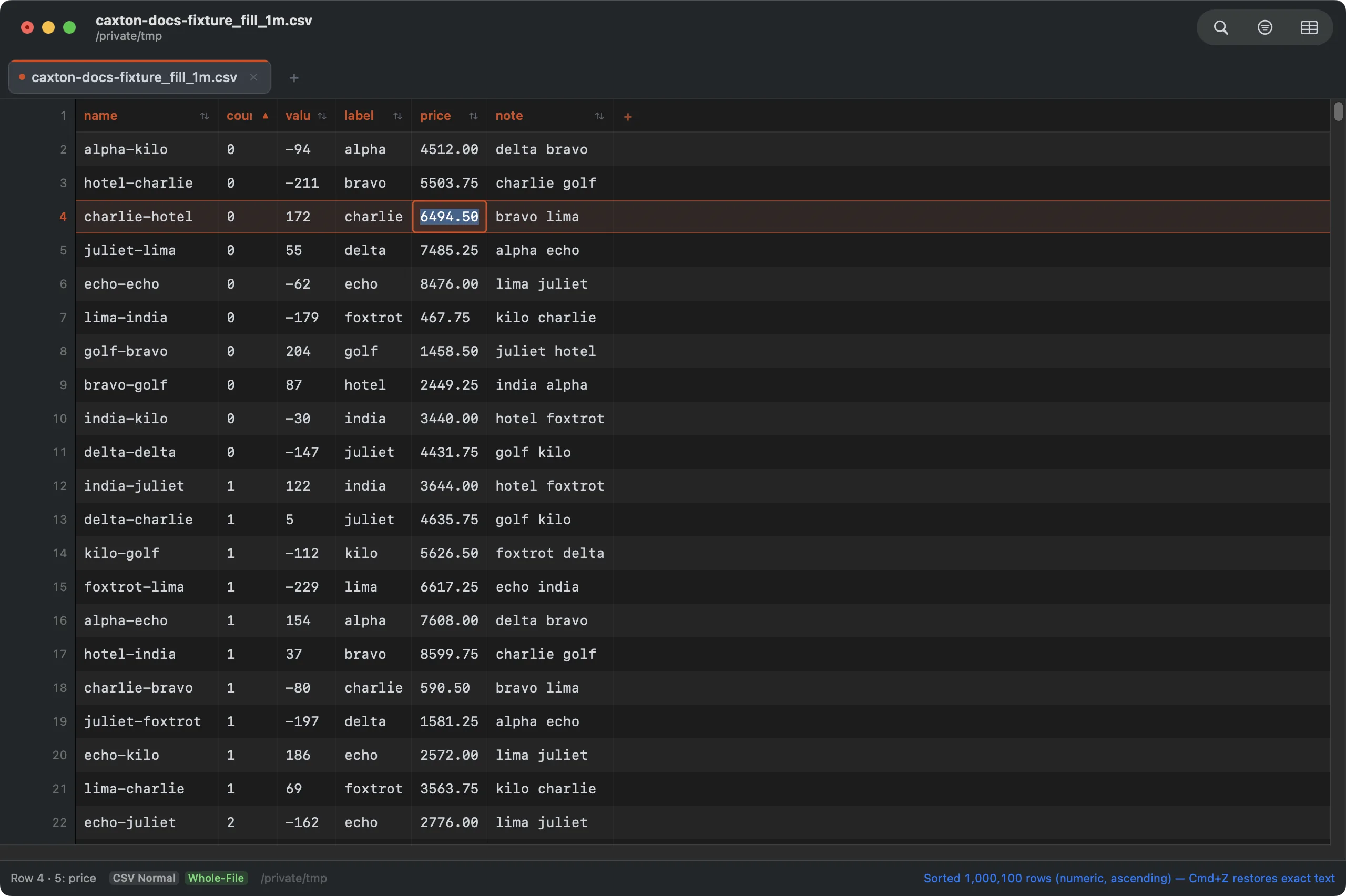
Double-click edits a cell in place. Every other value in the file stays byte-for-byte what it was.
You still get the conveniences that pull people to spreadsheets. Columns are typed by inference for sorting and filtering, but the typing lives in the view, never rewriting the underlying text: a column can sort as numbers while its cells keep their leading zeros. Scale is not the constraint either; the published benchmark parses a 2,022,947-row, 50-column CSV to a working grid in 2.3 s on the test machine (an M1 Max, methodology on the benchmarks page). Where a spreadsheet or a purpose-built CSV tool is the better fit, the honest survey is the CSV editor guide.
The export burned you once. The file this editor saves is the file you saw.
Download Caxton for Free7 days free, no credit card · 7 MB · macOS 13.0+ · notarized
Which approach fits which job?
| Approach | Good for | Watch out |
|---|---|---|
| Excel via Get Data, columns as Text | Workbook features on top of preserved text, per Microsoft's documented import flow | Per-file ritual; a direct double-click open still re-types everything |
| LibreOffice Calc via Text Import, columns as Text | Free spreadsheet work on preserved text, per its documented import dialog | Per-open ritual; still a typed workbook, and saving writes its version of the file |
| Numbers | Free spreadsheet work inside its documented limits | Same typed-import model; exports are the table's interpretation |
| Caxton | Editing the CSV itself: verbatim values, typed sorting on top, same file saved back | It is an editor, not a spreadsheet: no formulas or charts |
Frequently asked questions
Why does Excel remove leading zeros from CSV files?
Excel imports a CSV into a typed workbook, and a value like 02134 types as the number 2134. The zero is gone the moment the file opens, before you touch anything. Importing the column as Text through Get Data or the Text Import Wizard preserves it, or edit the CSV directly in an editor that never re-types values.
How do I stop Excel converting numbers to scientific notation?
Import the column as Text instead of opening the file directly. Microsoft documents that Excel keeps 15 significant digits of a number, so a 16-digit account number is altered by the conversion itself, not just displayed differently. A Text-typed column keeps every character.
How do I edit a CSV without changing the data?
Use a CSV editor that works on the file rather than importing it into a workbook. Caxton shows the file's actual text in a grid, values stay verbatim unless you change them, and saving writes the same file back. There is no import step where re-typing could happen.
Why did the dates in my CSV change format?
Anything a spreadsheet recognizes as a date is converted to its internal date value on import and written back out in the workbook's format, not the file's original text. Importing the column as Text stops the recognition, and a direct CSV editor never performs it.
Is there a free way to edit a CSV without the data changing?
Yes, inside some limits. LibreOffice Calc's Text Import dialog can import a column as Text, which its help documents as the way to keep leading zeros. A plain-text editor such as TextEdit or CotEditor never types values, but has no columns. csvkit infers types by default and documents the --no-inference flag to turn that off. None of them is a grid over the file itself that saves the same file back, which is what Caxton does.
Somebody downstream is checking those IDs against a database right now. Download Caxton for Free and send the next export with its zeros still on: 7 days free, no card.