Download Caxton for Free · 7 days, no card · 7 MB · macOS 13.0+
How do I sort a big CSV in Terminal?
Zero installs, any file size. The shape of the command:
sort -t, -k3,3n data.csv > sorted.csv-t, sets the field separator, -k3,3 sorts on the third field only, and the trailing n compares that key numerically. Without the n, sort compares strings, which is how 100 ends up ahead of 99 in a column of amounts. Reverse with r (-k3,3nr), stack keys for tie-breaks (-k3,3nr -k1,1).
Your header row is data to sort; it will file "amount" somewhere between the amounts. The standard composition writes the header through first:
head -n 1 data.csv > sorted.csv
tail -n +2 data.csv | sort -t, -k3,3n >> sorted.csv
One design limit worth knowing before trusting the output: sort splits fields on the separator character, full stop. A quoted field containing a comma ("Portland, OR") counts as two fields, and every key to its right shifts. CSV quoting is not in the tool's model; it was built for delimited text without quoting rules.
Is there a better command-line tool for repeated sorts?
Yes: DuckDB, free and built for exactly this. It reads the CSV with real column types, so numeric ordering needs no flags, and the job is a query you can keep in a script:
duckdb -c "COPY (SELECT * FROM read_csv('data.csv') ORDER BY amount DESC)
TO 'sorted.csv' (HEADER)"
Quoted fields parse correctly, the header survives, and running it again next month is the same command. For a pipeline that sorts the same export every week, this is the genuinely right answer; a nightly job should not involve clicking anything.
Where do the command-line answers stop?
At the point where you need to look at what you did. Every key change is a full re-run into another file, which you then open somewhere else to check, and at two million rows most somewheres refuse. Is the outlier at the top real or a typing artifact, did the tie-break behave, why is that row first: these are questions you answer by scrolling the result, and neither tool has a screen. And when row one turns out to be a data error, fixing it means yet another tool. If what you mostly need is to get the file open at all, that is its own guide.
How do I sort millions of rows and see the result?
Caxton opens the CSV as a typed grid and sorting is a click on the column header; click again to flip direction. Type inference runs underneath, so a numeric column sorts as numbers without being asked, and the published benchmark puts the operation at 4.4 s for the 1 GB, 2,022,947-row test file on an M1 Max (full table and methodology on the benchmarks page). The whole file sorts, not a preview; rows move verbatim, never reformatted, and the sort is one undo step.
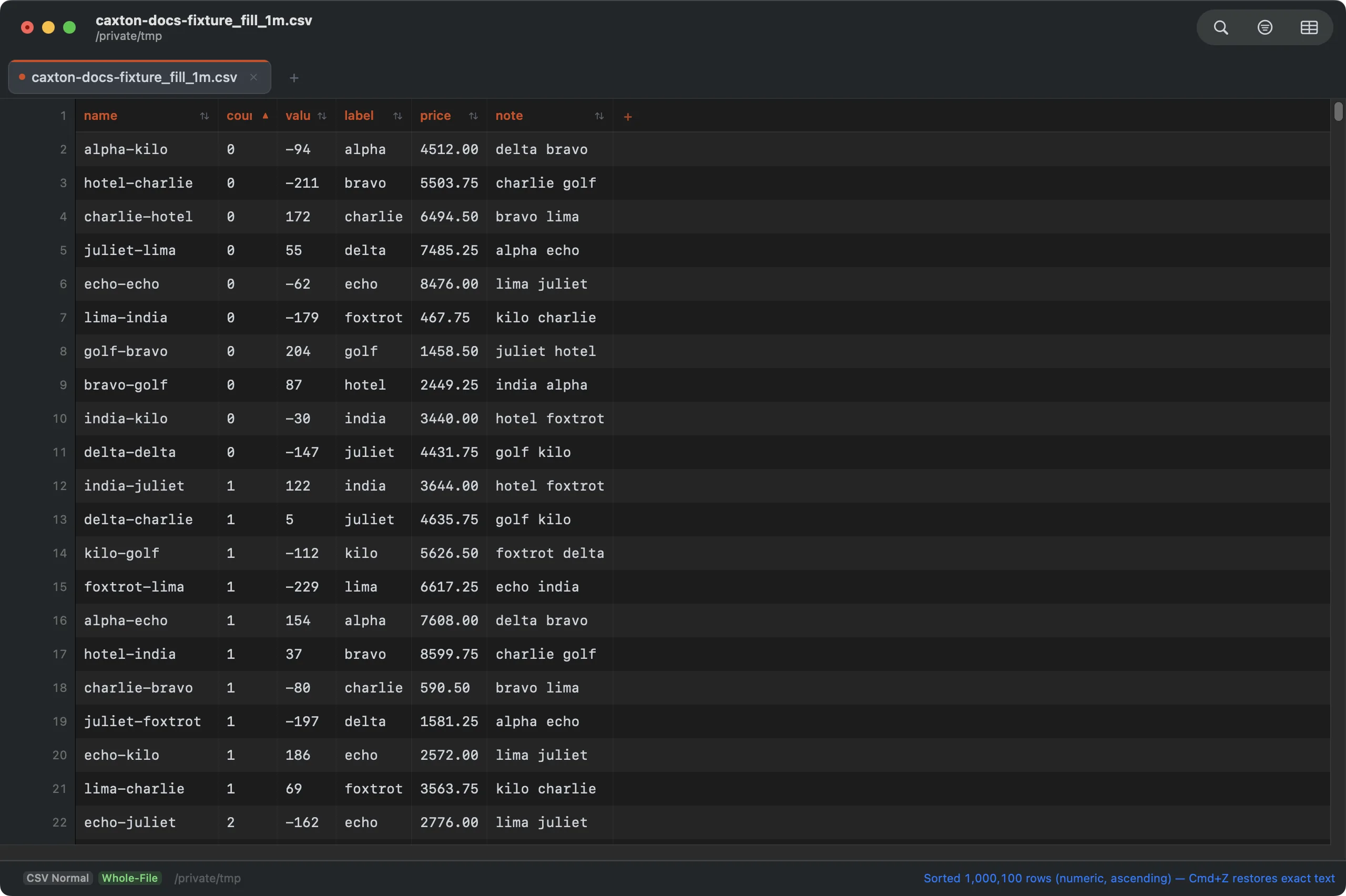
Sorted by the numeric count column from a header click: rows moved verbatim, one undo step.
For anything a header click cannot say, CSV ▸ Sort Rows… compares a column six ways (text, case-sensitive bytes, Finder-style natural order, numeric, currency with symbols and separators stripped, date), takes a second column for ties, keeps the header pinned, and saves the whole configuration as a preset for the next file shaped like this one. The result is a grid you can immediately edit without anything re-typing your values, and saving writes the same plain CSV back. Files beyond the in-place rewrite cap are not sorted blind; Caxton offers to stream the sorted result to a new document instead. Where sorting is one job among many and you are still choosing the tool, start at the CSV editor survey.
Click the header. Watch two million rows land in order.
Download Caxton for Free7 days free, no credit card · 7 MB · macOS 13.0+ · notarized
Which approach fits which job?
| Approach | Good for | Breaks when |
|---|---|---|
sort with -t -k -n | One-off ordered copy of any size file, free | Quoted commas shift the keys, or you need to see and verify the result |
DuckDB ORDER BY | Typed, repeatable sorts in scripts and pipelines | The question is visual, or the fix after sorting is manual |
| Numbers / Excel | Sorting inside their documented grid limits | The file exceeds the worksheet's documented row ceiling and cannot fully load |
| Caxton | Sorting you iterate on, inspect, and edit, at file scale | You want a scheduled pipeline with no window at all |
Frequently asked questions
How do I sort a CSV with millions of rows on a Mac?
Three working routes: the Terminal's sort command writes an ordered copy of a file of any size; DuckDB's ORDER BY does the same with real column types for repeatable jobs; and Caxton sorts the file in a grid you can see and edit. Its published benchmark sorts the 1 GB, 2,022,947-row test CSV by a numeric column in 4.4 s.
Can Excel sort a CSV bigger than its row limit?
No. Excel's worksheet grid is documented at 1,048,576 rows, and a CSV past that does not fit to be sorted; rows beyond the limit are not loaded. Sorting at that scale happens outside a worksheet: sort, DuckDB, or a CSV editor with no fixed worksheet row limit.
How do I sort a CSV by a number column correctly?
Tell the tool the column is numeric. Plain sort compares text unless you add -n, so 100 sorts before 99. In DuckDB, ORDER BY uses the column's inferred type. In Caxton, type inference runs automatically and a numeric column sorts as numbers from a header click.
Does the Terminal sort command handle header rows?
No. sort orders every line it is given, header included, so the standard pattern writes the header first and sorts the rest: head -n 1 writes line one to the output, then tail -n +2 pipes the remaining lines through sort.
The deadline does not care which row is first; whoever reads the file will. Download Caxton for Free and have it in order before the next status ping: 7 days free, no card.