Entering the grid
Table files are detected on open (delimiter and header row inferred) and the grid activates automatically. The extension does not decide it: a .csv or .tsv always opens in the grid, and any other file whose content carries real table structure, a tab-delimited .txt for instance, opens there too, while logs and prose stay in the text editor. Toggle between grid and raw text any time with ⇧⌘C. The status bar shows live rows × columns and parse progress.
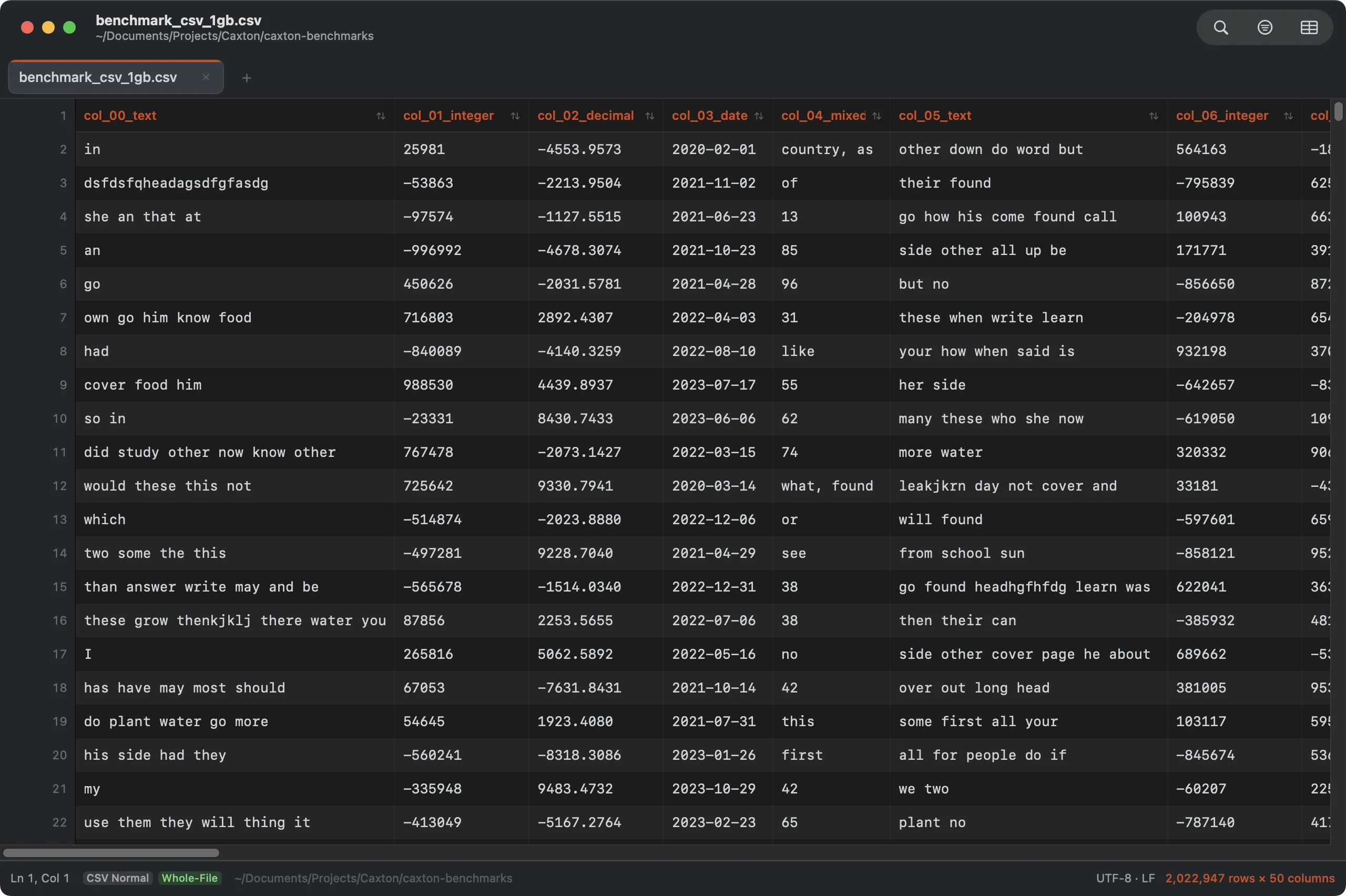
2,022,947 rows × 50 typed columns from a 1 GB file. Headers stay frozen; the grid scrolls at full speed.
CSV ▸ Delimiter changes how the current file is read: Auto-detect, Comma, Tab, Semicolon, Pipe, or Custom…, without changing a byte of the file. The active choice carries a check mark and is kept with the session. To rewrite the file with a different delimiter, use Convert Delimiter instead. A file of two lines, a header and one row with no trailing newline, detects its delimiter like any other.
Custom… asks for one ASCII character in its Delimiter field, anything but a quote or a line break, and Read As reads the file with it. The file is not rewritten.
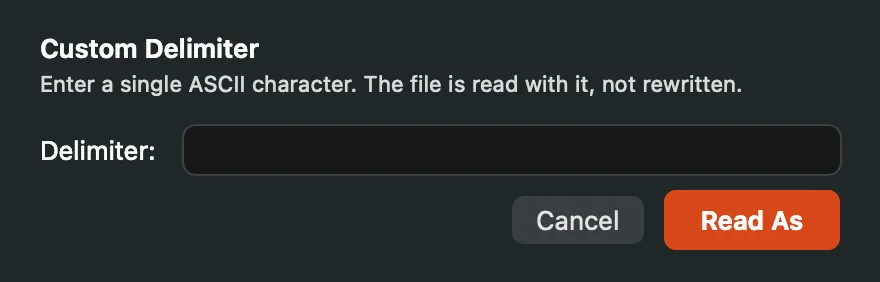
CSV ▸ Delimiter ▸ Custom…: the file is read with the character you type, not rewritten.
No file is needed to start one. Toggle the grid on an empty document and a blank three-column sheet appears, comma delimited, rows numbered from 1; empty .csv, .tsv, and .psv files open straight to the same sheet. Deleting every row of a headerless table leaves the sheet standing too, at the table's width, ready to refill. A new document taken into the grid saves as .csv, or .tsv when its delimiter is tab.
Sorting
Click the sort arrows (⇅) at the right of a column header to sort; click them again to flip direction. A click elsewhere on the header selects the column. Type inference runs underneath, so numeric columns sort as numbers without being asked.
CSV ▸ Sort Rows… is the full instrument: any column, compared six ways: Text (case-insensitive), Text (case-sensitive bytes), Natural (Finder-style, so file2 sorts before file10), Numeric, Currency (symbols and thousands separators stripped; accounting (1,234.56) reads as negative), and Date: ascending or descending, with a secondary “Then by” column for ties and the header row kept in place. Sorts are stable (equal keys keep their original order) and move rows verbatim, never reformatting content: two million rows sort in 4.4 s (measured). An explicit type choice sticks for the session, so later header clicks keep treating the column the way you told it to; currency-heavy columns are detected automatically. Files beyond the in-place rewrite cap aren't sorted blind; Caxton offers to stream the sorted result to a new document instead. Text keys compare the first 64 bytes of a cell in byte order after lowercasing, so longer ties keep their original order and accented letters sort after z; Date reads ISO dates (2026-03-04) and dates with slashes, dashes or dots month first (3/4/2026 is March 4); day-first dates such as 31/12/2026, month names and zone offsets are read the way the column profile reads them. In a Numeric, Currency or Date sort, blank cells and values that do not parse go last in either direction, in their original order.
A sort you use twice is worth a name: the dialog's Save as preset box keeps the whole configuration (columns, type, direction, header handling) under a name, and its Preset menu applies it to any file by column number. Sort & Duplicates describes every field of the dialog and the preset menu.
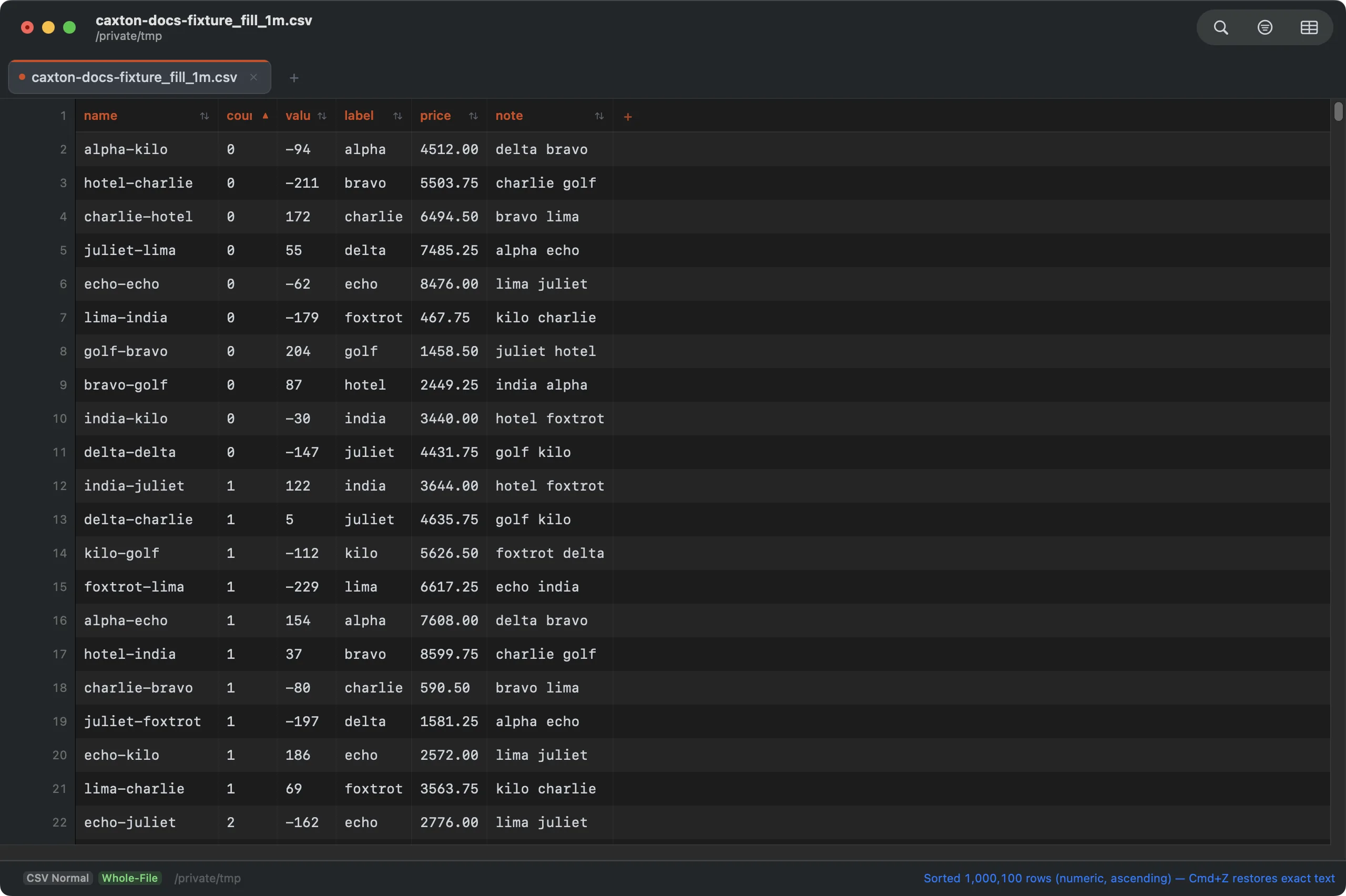
Sorted by the numeric count column: 1,000,101 rows moved verbatim, one undo step.
A sort shows its phases in the Operations panel (building keys, writing runs, merging), checks the scratch volume before it writes a run, and previews what moves before it applies; past the in-place limit the result streams to a new document. Duplicates have their own command with keep rules by another column and a report before removal. Sort & Duplicates has both.
Editing cells
Double-click a cell to edit it in place. Edits write through to the underlying text, participate in normal undo/redo, and re-align the grid immediately.
Growing the table is a click at either edge: a + past the last header cell appends a column, and the empty row past the end carries a + in its gutter that appends a row with the first cell selected, ready to type. Typing straight into that empty row works too, and so does typing past the last column: one empty column always waits at the right edge, and committing a value there adds the column with the value at that row. Structural edits (rows, columns, fills) apply in place, so the view stays where you are working instead of jumping to the top.
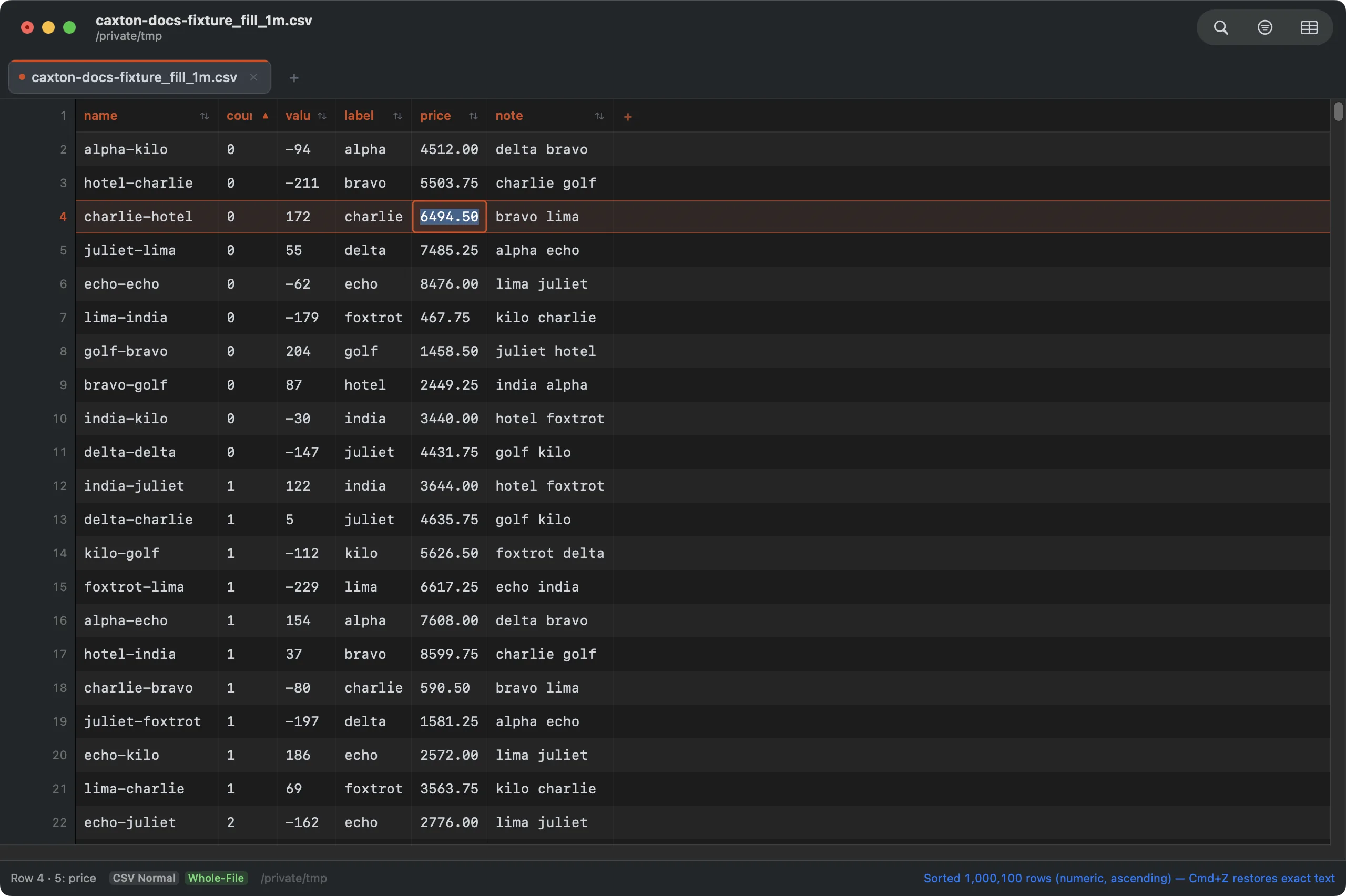
In-place cell editing on a million-row file. Esc cancels; Return commits.
Cells the inline editor can't do justice (multiline values, very long fields) open in the full-value editor: CSV ▸ Edit Cell Value…, right-click ▸ Edit Full Value…, or start editing such a cell. It is a sheet on the window whose heading names the cell by row and column, such as Cell 6 · 6: note, with a real text view and a line below it counting the value's bytes and lines. Edit the decoded value and quoting is handled for you on save, or turn on Raw (as stored) to see and edit the field's exact bytes, quotes and all: deliberate structure surgery, settled by a full reparse. ⌘↩ saves, Esc cancels. A cell larger than 10 MB does not open in the editor, and the status bar says so.
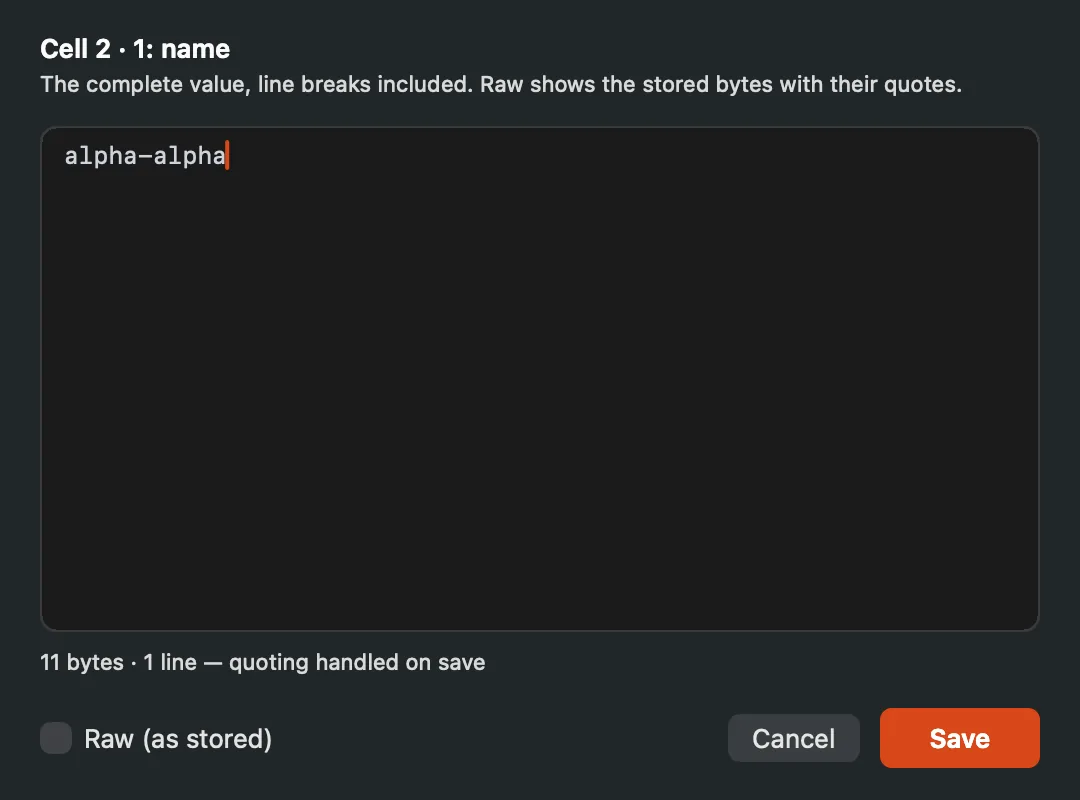
The full-value editor: the heading names the row and column, and Raw is a checkbox away.
Switching between the decoded and the raw view reads the stored cell again. With edits not yet saved, Caxton asks first (Discard edits?): Discard and Switch drops them and switches, Keep Editing stays where you were.
Short rows show their missing tail cells dimmed, “not part of the row” at a glance. Editing a dimmed cell materializes it: the row is padded out to that column, one undo step.
Fill and Fill Series
The selection grows a fill handle at its corner. Drag it in any direction and Caxton continues what the selection started, showing a live preview of the cell count and last value: a single value copies, 10, 20 continues 30, 40, Item01 becomes Item02 with its padding intact, and dates advance by real calendar rules: month ends stay month ends, February 29 returns in the next leap year. Irregular values repeat as a pattern rather than inventing a trend. Hold ⌥ to copy instead of continuing. Double-click the handle to fill down as far as the neighboring column has data.
After a fill made with the handle, a small ▾ chip sits just past the lower right corner of the filled block. Its menu fills the same cells again another way: Auto (what Caxton detected, the default), Copy Cells (the source repeated exactly), Repeat Pattern (the source cells cycled in order), or Fill Series… to open the dialog with the same selection. A click anywhere else in the grid dismisses the chip. A ⌥ copy drag has no chip.
Right-click ▸ Fill Series… opens the full dialog. It fills the selection from the cells at its leading edge:
- Direction: Down, Up, Right or Left, starting on the direction the selection suggests.
- Type: Auto (what Caxton detects), Copy, Linear, Growth, Date / Time, Text + Number, Custom List or Repeat Pattern.
- Step: the amount added each cell. It reads Multiplier for a Growth series and Stride for a list, where it is how many names each cell moves on.
- Unit: for Date / Time, the unit of the step, from seconds to years.
- List: for Custom List, the list to walk, such as weekday or month names.
- Token: for Text + Number, which number in the text counts up when the value holds more than one (
Token 2 of 2: “07”); the last is chosen to start. - Count: how many cells to fill; left blank, the fill covers the selection.
- Stop value: the value to stop at, for Auto, Linear, Growth and Date / Time.
- Destination: Replace destination cells, or Fill empty cells only to leave existing values where they are.
The preview box names the detected pattern, shows the first values and counts the cells, and a line under it says what is missing (a step that is not a number, no destination cells). Fill writes; Cancel leaves the grid alone. Decimal arithmetic is exact: 0.1, 0.2 continues 0.3, never 0.30000000000000004.
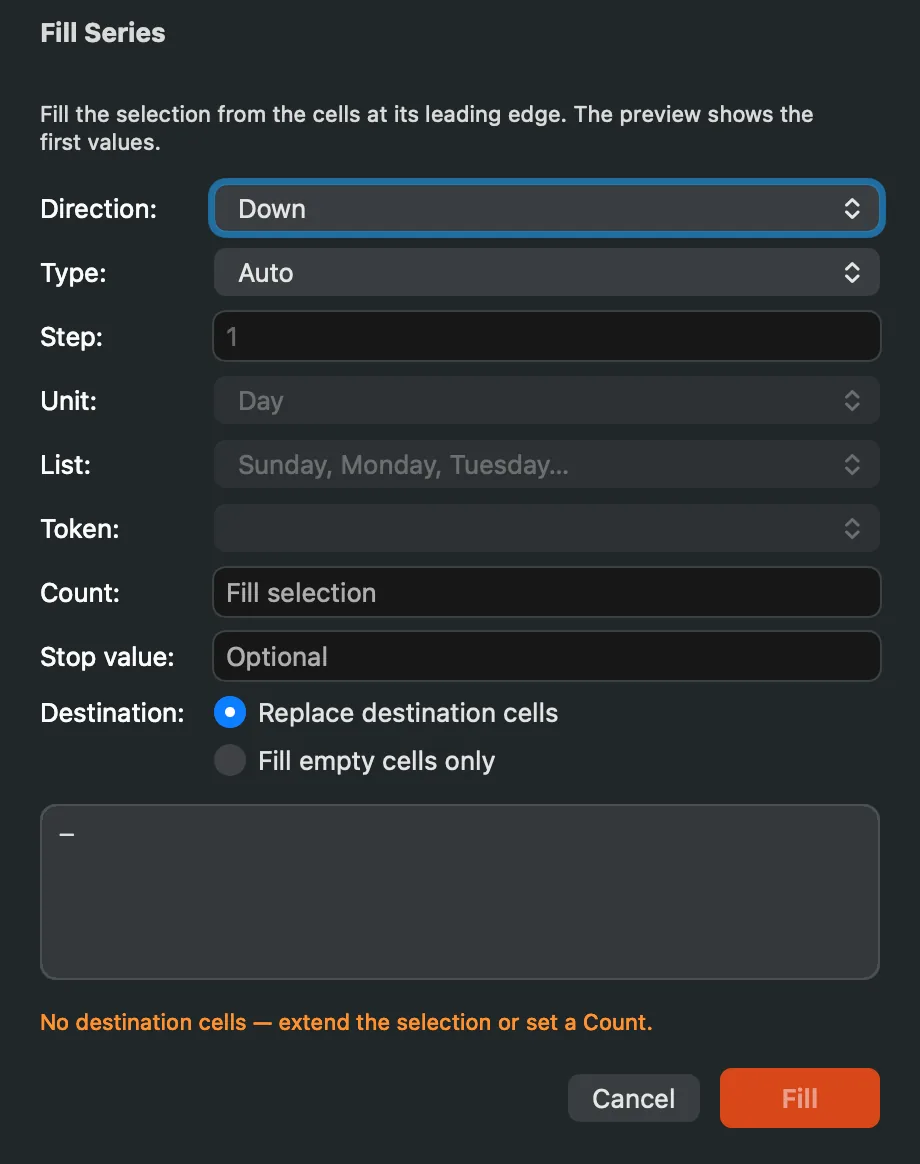
Fill Series: every option on one form, with the preview above the buttons.
Fill Down ⌘D, Fill Up, Fill Right ⌘R, and Fill Left copy the selection’s edge across it, Excel-style. Every fill is one undo step. A fill that would replace 100,000 or more cells that already hold values asks first (Replace existing values?) with the count. A fill Caxton cannot make, such as a source of more than 100,000 cells per lane or a stop value the series never reaches, stops with Can't Fill and the reason.
Selection
Drag across cells (or ⇧-click) for a rectangular range; click row numbers or column headers and drag for whole rows and columns. Any selection copies as proper delimited text, and blocks paste back in (including straight from Excel or Google Sheets) as one undo step. Pasting a single value into a selected range fills the range. Raw delimited text spreads as well: comma or semicolon separated lines pasted into a cell land as cells and rows, quotes respected, and pasted into a blank sheet they become the whole table. A paste wider than the table clips the overflow evenly and the banner counts what was dropped.
Paste Special… (Edit menu, ⌃⌥⌘V, or right-click a cell) shapes the clipboard before it lands. Choose the delimiter the clipboard uses, or paste it as one value. Place it from the selection's corner, the way a plain paste does; within the selection only, where a smaller clipboard repeats to fill the block when you ask; as new rows above the selection; as new columns before it; or into the columns the clipboard's first row names, matched against the table's column names exactly or ignoring case, with the mapping shown before you commit. Transpose turns rows into columns. Skip blank cells leaves a destination cell alone where the clipboard is empty. Add, Subtract, Multiply or Divide applies the clipboard value to the cell it lands on; a cell that is not a number is left as it is and counted. Trim, Normalize line endings, Preserve leading zeros and Convert dates change the values on the way in. The preview shows the first cells before and after, the paste is one undo step, and under a row filter it lands on the visible rows only. Paste Special is Caxton Pro, like every edit.
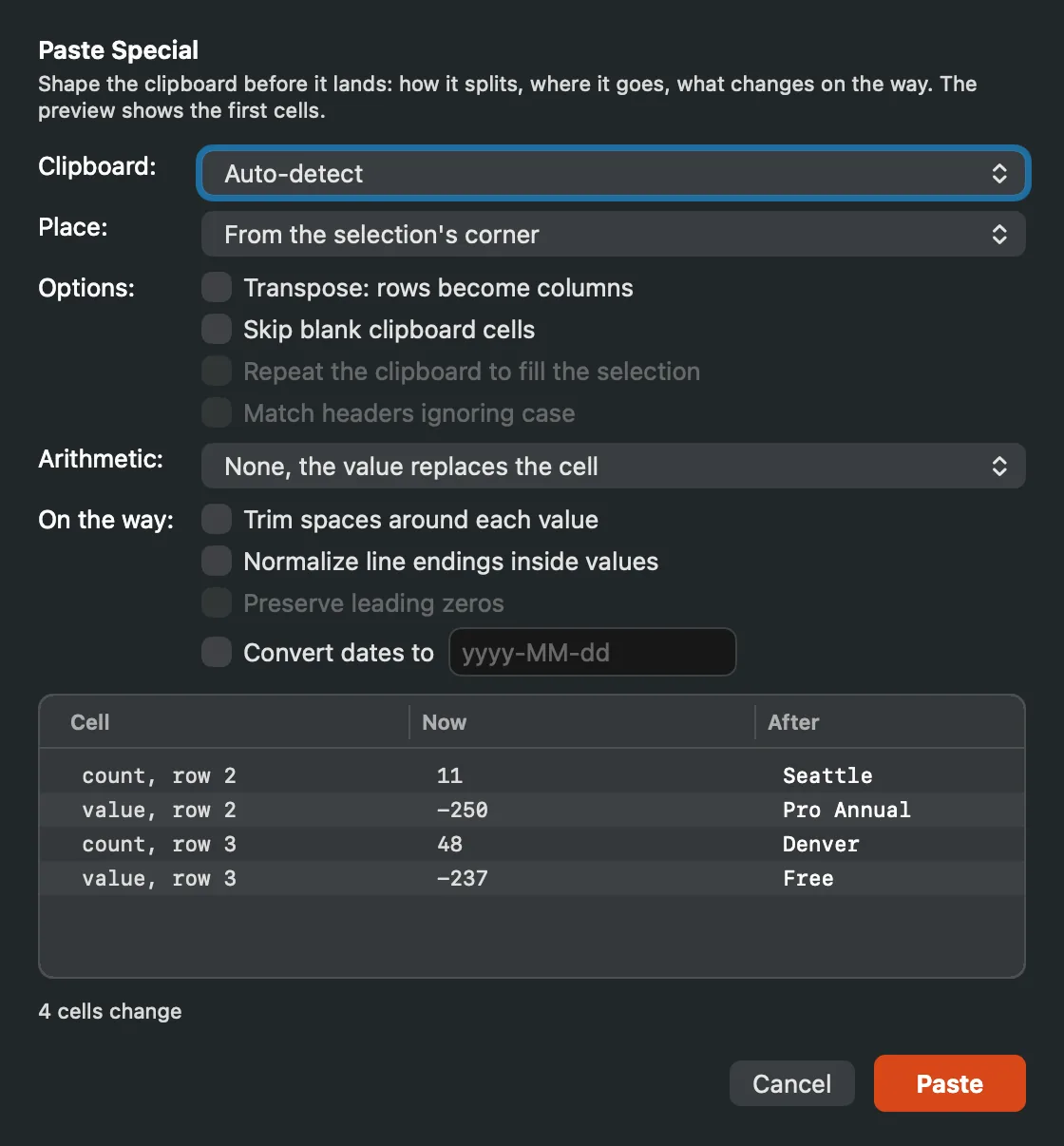
Paste Special shapes the clipboard before it lands; the preview shows the first cells before and after.
Right-click ▸ Clear Contents empties the selected cells, or the cell under the cursor, without removing any row or column; it is one undo step. The same menu offers Delete Rows and Delete Columns for a row or column selection.
Selected rows and columns move by drag and delete with ⌫. Column edges drag to resize; double-click an edge to auto-fit the column, and double-click a header cell to rename it in place.
A whole-column selection is a full column context: with a header clicked, Insert/Delete/Move/Split/Combine Column, Extract Column, and Count Frequent all enable directly, and the sort and filter dialogs preselect that column.
Select more than one cell and the status bar answers the first questions you'd ask: cell count, sum, average, how many are numeric, how many blank, computed off the main thread, with an honest “first N scanned” note on very large selections.
Columns in view
Hide Column tucks columns out of sight without touching the data (operations and copies still include them, Excel-style), and Show All Columns brings everything back. Freeze Columns pins First 1 Column, First 2 Columns, First 3 Columns or everything Up to Selected Column, so identifiers stay put while you scroll wide files; None unpins them. Auto-Fit All Columns sizes every column to its content, and widths, hidden flags, and sort choices follow their columns through moves, inserts, and deletes.
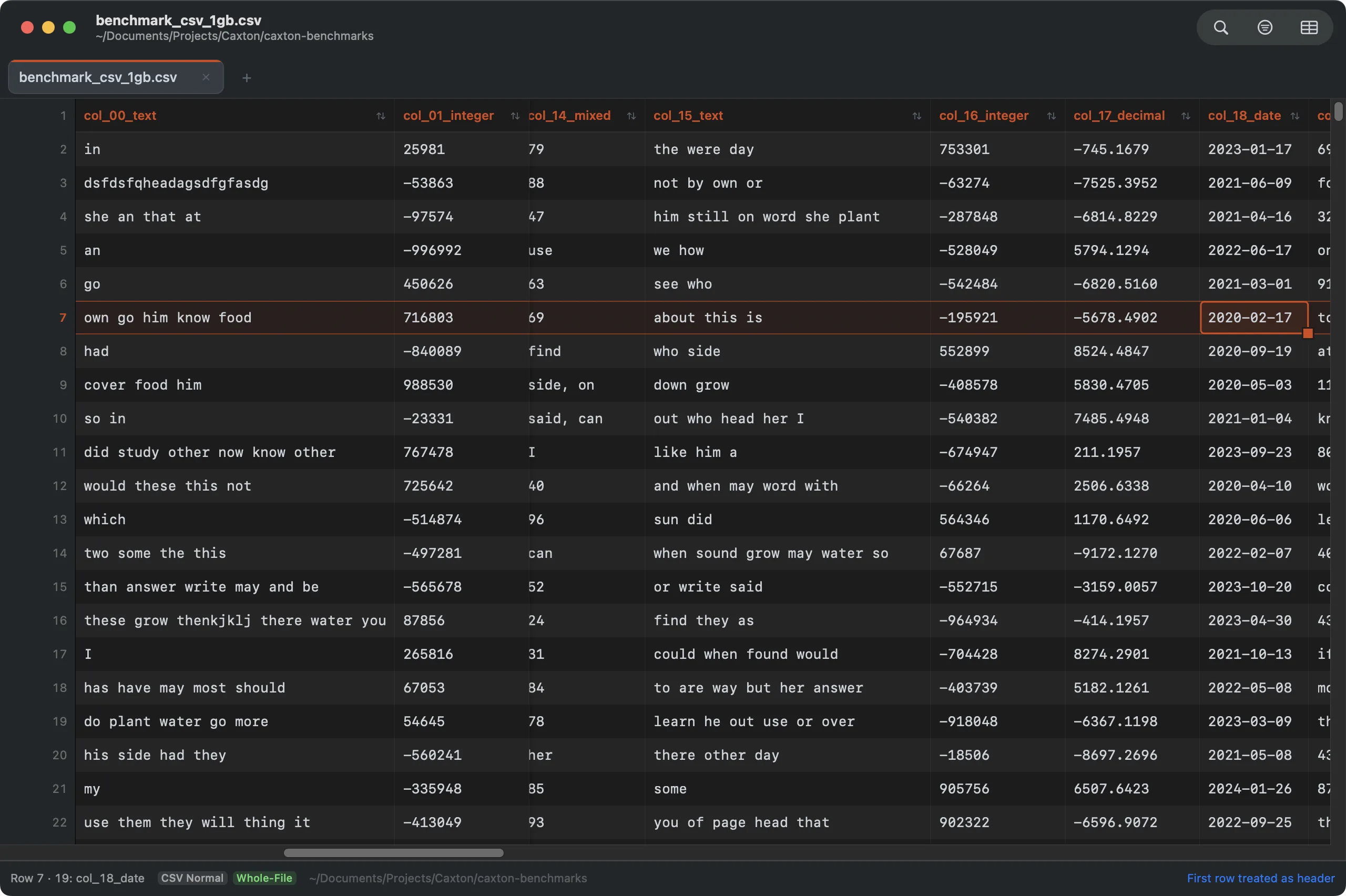
Scrolled deep into a 50-column file: the first two columns stay pinned while the rest scroll.
⌘L in the grid is Go to Cell: type 5000 for a row or 5000:12 for an exact cell, header-aware, and honest when a row filter hides the target. Its one field, Cell, takes the row or the row and column, both counted from 1; Go selects the cell.
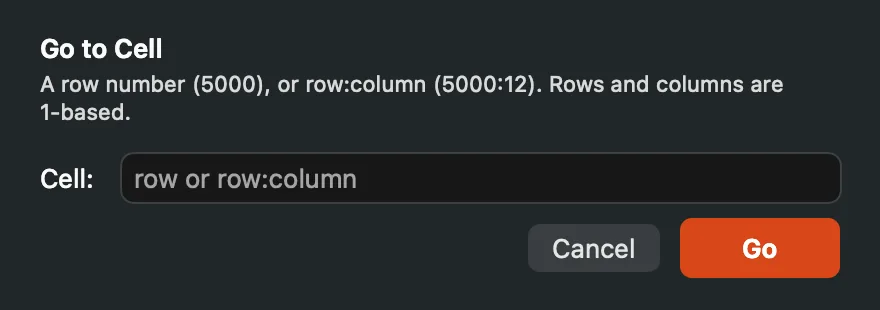
Go to Cell: a row, or row:column.
Header tools
Promote Row to Header lifts any row to the top and turns the header on: one undo step, the old header stays as data. Rename Column… opens the header cell for editing (double-clicking it does the same). Add Header Row generates Column1…ColumnN placeholders above headerless data. Duplicate header names are preserved in the file; pickers stay unambiguous because every column title carries its number (“3: amount” vs “7: amount”).
Numbered columns without a header row
When First Row Is Header is off, the grid shows a frozen numbered band (1, 2, 3…) so columns keep their identity. It behaves exactly like a real header: click to select a column, drag to select several, drag edges to resize, click the sort affordance to sort. Dialogs use the same numbers, so “column 3” means the same thing everywhere.
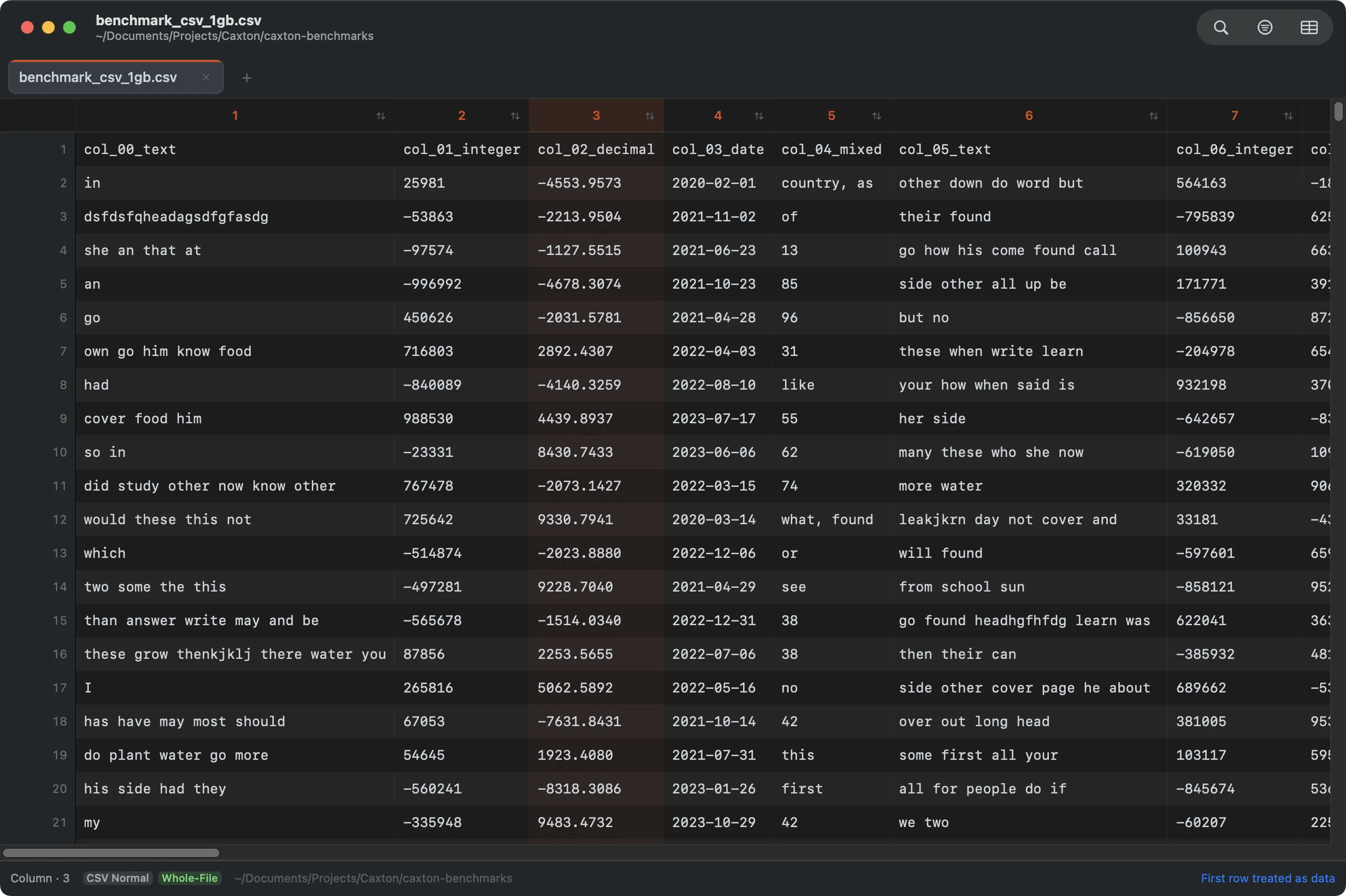
Headerless data with the numbered band pinned at the top; column 3 selected by clicking its number.
Advanced Row Filter
CSV ▸ Advanced Filter… (or the filter bar's panel button while in the grid) opens the Filter Rows panel, which filters rows with multiple conditions. Each condition targets the whole line, any column, or one specific column, with Contains, Does Not Contain, Equals, Greater Than, or Less Than (the comparisons are numeric: both sides must parse; Does Not Contain on the any-column scope means no field contains the text), match case, ≠ exclude, and and/or chaining, where AND binds tighter than OR. Whole-line conditions test the raw record, so a query containing a comma can match across fields, which per-column filtering can't. The panel keeps its conditions between opens, so a filter can be tweaked and re-run. Add Condition adds a row and − removes one; the panel is as tall as its rows, up to six, and scrolls past that. Filter applies the chain, Clear Row Filter restores every row, and Close puts the panel away.
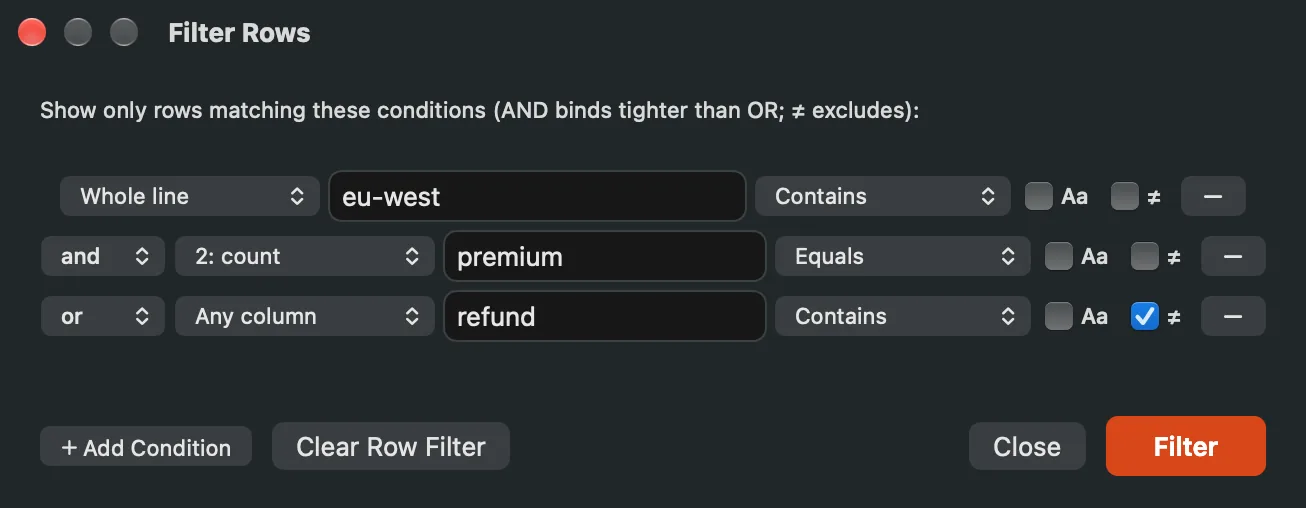
Three conditions, three scopes: a whole-line match, a column equality, and an any-column exclude, chained with and/or.
Filter by Column Values
CSV ▸ Filter by Column Values… is the checkbox filter: every distinct value in a column, with its count, most frequent first. Search the list, check what you want to see, Apply. Select All and Select None act on the searched subset, so "search, Select None, uncheck-by-search" compositions work; empty values appear as a dimmed (blank) row and filter like any other. Lists cap at 10,000 distinct values and say so, and with everything checked, no filter is applied, because a truncated list can't honestly exclude what it never showed. The Column popup at the top switches to another column, and Clear Filter removes the value filter.
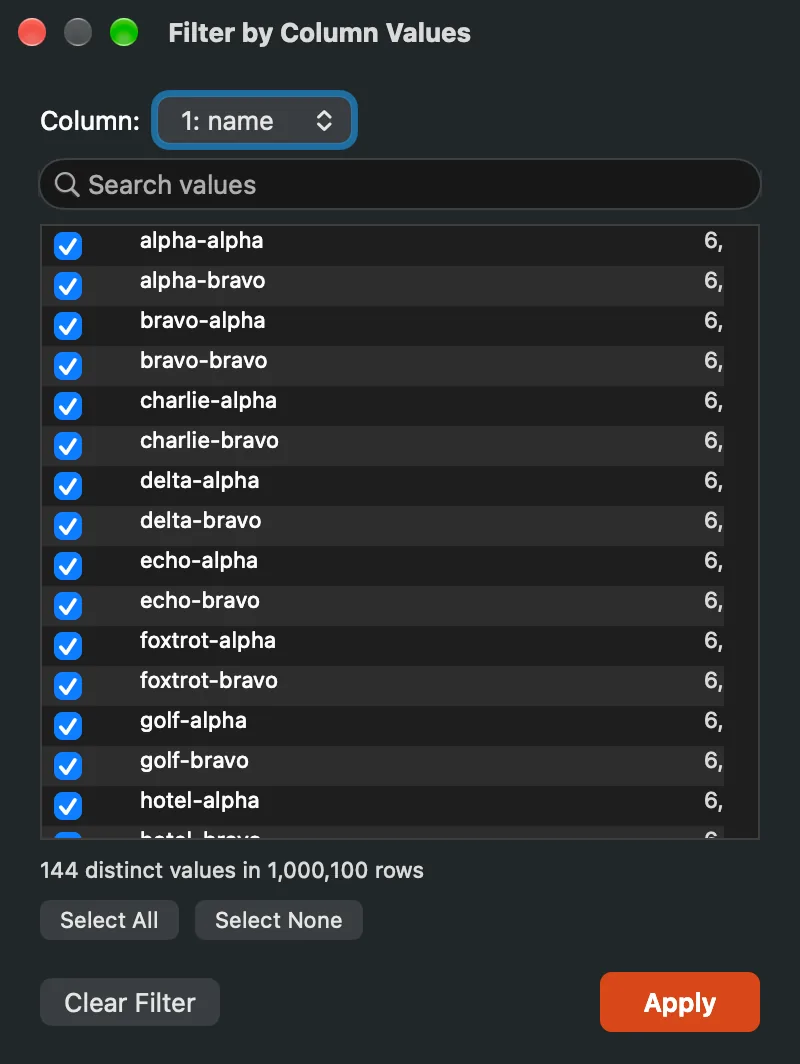
Distinct values with counts on a two-million-row column: search, check, apply.
Right-clicking a cell offers the same power one click at a time: its Filter submenu has Filter to the cell's value and Exclude it and, for a number, Filter Greater Than and Filter Less Than it.
Row filters and the text filter bar can both drive the grid; the last one you apply wins, a banner says what happened, and clearing one hands the view back to the other. Nothing is ever silently overwritten.
Filtering in the grid
The text filter engine works in grid mode too: conditions apply to whole records, and the grid shows only matching rows.
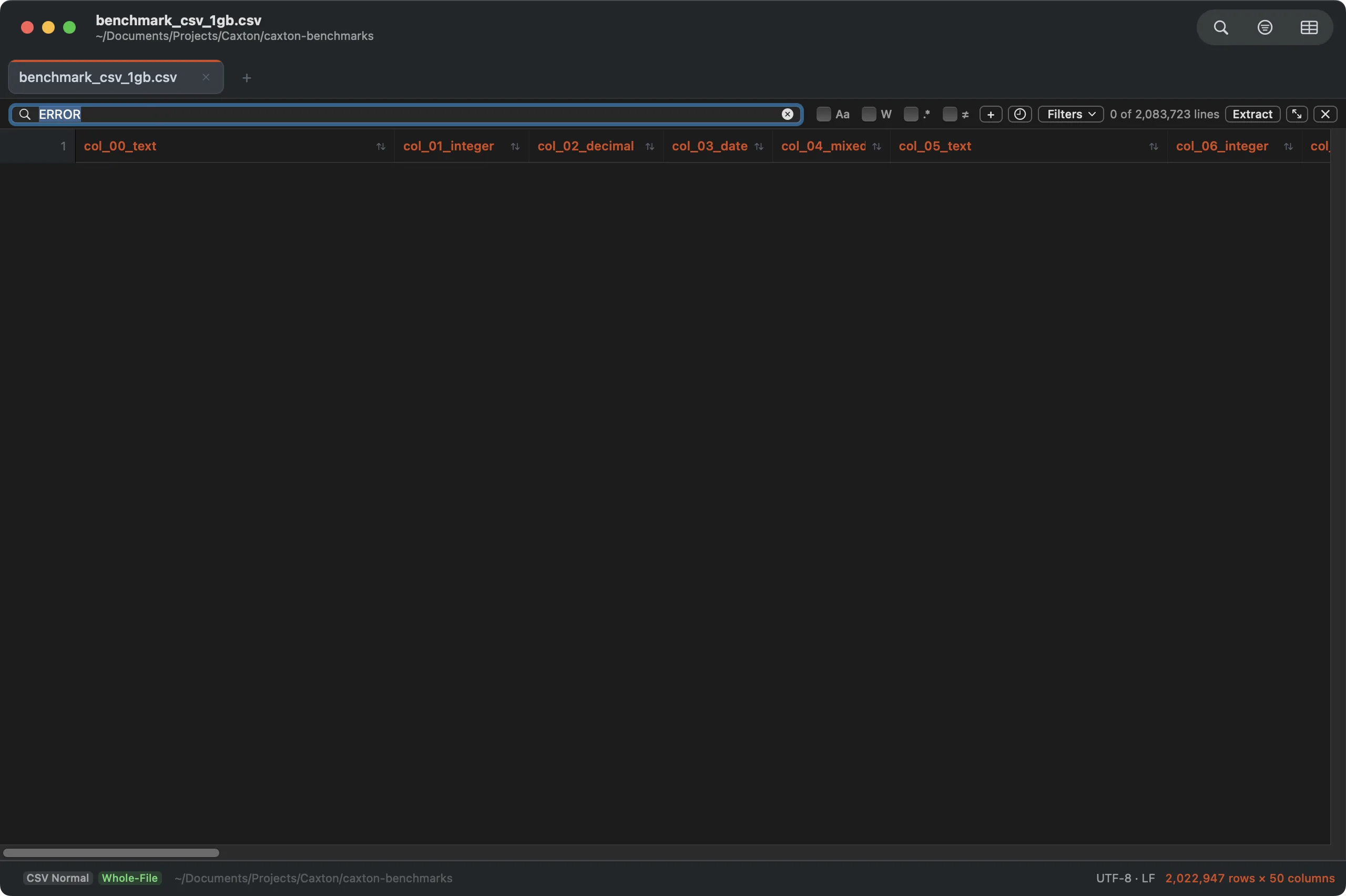
Filtered to matching records: the grid mirrors the filter with original row numbers intact.
The CSV menu
The CSV menu's edits operate on the whole file consistently, every row rewritten and undone as one step; its view, filter and validation commands change no bytes. The edits:
- Insert Row Above / Insert Row Below / Delete Row, Insert Column After / Delete Column, Move Column Left / Move Column Right: row and column surgery at the selection.
- Sort Rows…: the typed, two-key sort described above.
- Split Column… / Combine with Next Column…: split each value at the first separator or at a character position; or merge two adjacent columns with a separator of your choice. Both forms are described below.
- Insert Sequential Numbers…: add a numbered column before the selected one, starting at any value, with a “#” header.
- Extract Column to New Document: pull a column out as its own file. Caxton Pro, like the other extracts.
- Remove Embedded Newlines…: flatten multi-line cells. It asks first (Remove embedded newlines?): Remove replaces every line break inside a quoted cell with a space across the whole file, and ⌘Z restores the exact previous text.
- Transpose: swap rows and columns (up to 100,000 cells).
- Delete Duplicate Rows…: match on all columns or a chosen subset; keep the first occurrence, the last, none, the earliest or latest date in a column, or the largest or smallest number in a column; remove, bookmark, or export the groups; a report of the groups first. Sort & Duplicates.
- Transform Cells… (⌥⇧⌘T in an editable CSV document; View ▸ Show Toolbar shares the key): forty-eight transforms over a cell, a selection, a column or the table, previewed, one undo. Transform Cells.
- Validate… / Validation Schema… / Repair ▸ / Quarantine Problem Rows…: rules you keep, every problem listed with a suggested repair, nine repairs with a preview, and quarantine for the rows that cannot be fixed. Validate & Repair.
- Count Frequent Values in Column: a ranked frequency table; the sidebar's Column Profile has the full profile and a searchable table you can export or filter from.
- Advanced Filter…: the multi-condition row filter described above; Clear Row Filter restores.
- Delimiter: read the current file as comma, tab, semicolon, pipe, or a custom delimiter (or Auto-detect) without changing it; the choice is kept with the session.
- Convert Delimiter: rewrite the file as Comma (CSV), Tab (TSV), Pipe, Semicolon, or Custom…, one undo step.
- Quote All Cells / Remove Unnecessary Quotes: force RFC 4180 quotes onto every cell, or strip the decorative ones; rows with quoting problems are never touched.
- Normalize Column Count…: pad short rows to the expected width with empty cells; optionally trim rows with surplus cells. Described below.
- Convert Fixed-Width to Columns…: split a fixed-width text file at the character widths you give into a new delimited document, with a live preview of the first line. Works from the text view, at any file size. Caxton Pro.
- Edit Cell Value… / Rename Column… / Promote Row to Header / Add Header Row: the cell editor and header tools described above.
- Hide Column / Show All Columns / Freeze Columns / Auto-Fit All Columns: the view controls described above.
- Filter by Column Values…: the checkbox value filter described above.
- First Row Is Header: toggle header-row treatment.
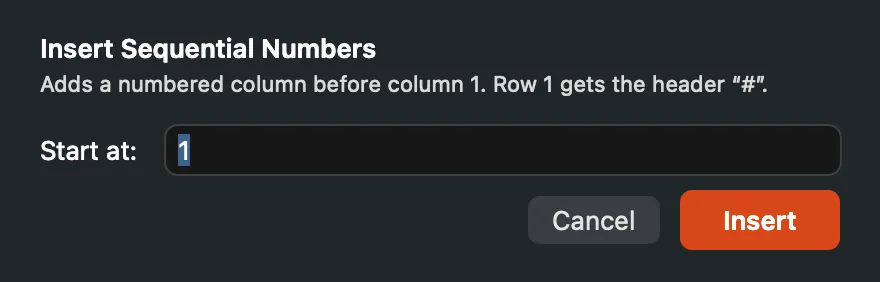
Insert Sequential Numbers: one field, Start at, and an Insert button; the new column lands before the selected one with a “#” header.
The CSV forms
Split Column… opens Split Column N for the selected column. Type a Separator and each value splits at its first occurrence into two fields, the second in a new column to the right; a value without the separator keeps an empty second field. Turn on Treat as character position and the field takes a number instead: that many characters stay, the rest move right. Split runs it as one undo step.
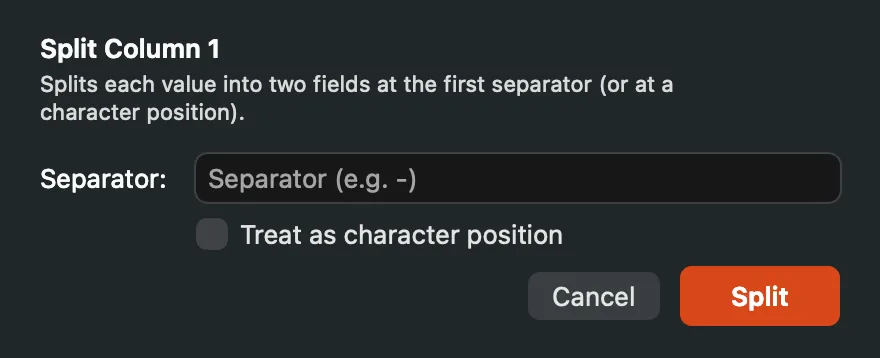
Split Column: a separator, or a character position.
Combine with Next Column… opens Combine Columns N and N+1: the selected column and the one to its right become one column, joined by the Separator, which starts as a space and may be left empty. Combine runs it. The last column has nothing to its right, and the status bar says so.
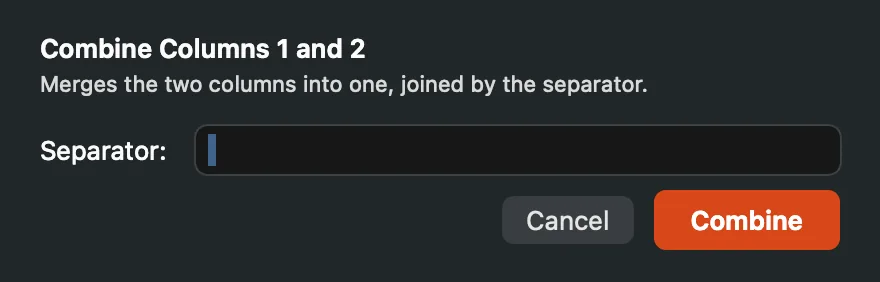
Combine Columns: two neighbors joined by the separator.
Convert Delimiter ▸ Custom… asks for the new delimiter in its Delimiter field: one ASCII character, not a quote or a line break. Convert rewrites every row with it as one undo step. Converting to the delimiter the file already has does nothing and says so.

Convert Delimiter ▸ Custom…: the file is rewritten with the character you type.
Normalize Column Count… names the table's width in its explanation and pads every short row with empty cells to that width. Also trim rows with EXTRA columns deletes the surplus cells of long rows too; it is off to start. Rows with quoting problems are left byte for byte, and quoting elsewhere is normalized to RFC 4180. Normalize runs it as one undo step.
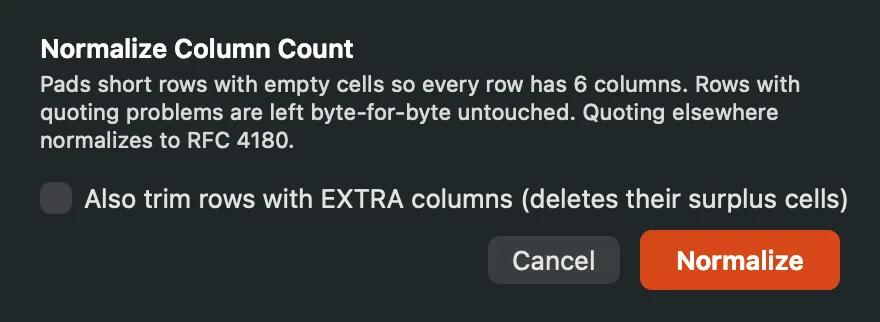
Normalize Column Count: pad short rows, and trim long ones if you ask.
Malformed files
Rows that don't parse cleanly get explicit parse states rather than silent guesses; you can see exactly which rows are suspect and why, and the raw text view is always one keystroke away. Short rows show their missing cells dimmed, Normalize Column Count… repairs widths in one undoable pass, and classic-Mac CR-only files are detected and open in the grid like any other CSV.
For everything past widths, Validate & Repair: the Problems panel lists every malformed row with its reason and the bytes behind it, nine repairs preview before they apply, and Quarantine writes the rows that cannot be fixed to their own file.