View ▸ Show Inspector (⌥⌘I), or the button at the right end of the toolbar, opens a column at the right of the window that answers questions about the file without a dialog. While it is open the menu item reads Hide Inspector. Every value is selectable, so you can copy an encoding name or a byte offset, and VoiceOver reads each value with its label.
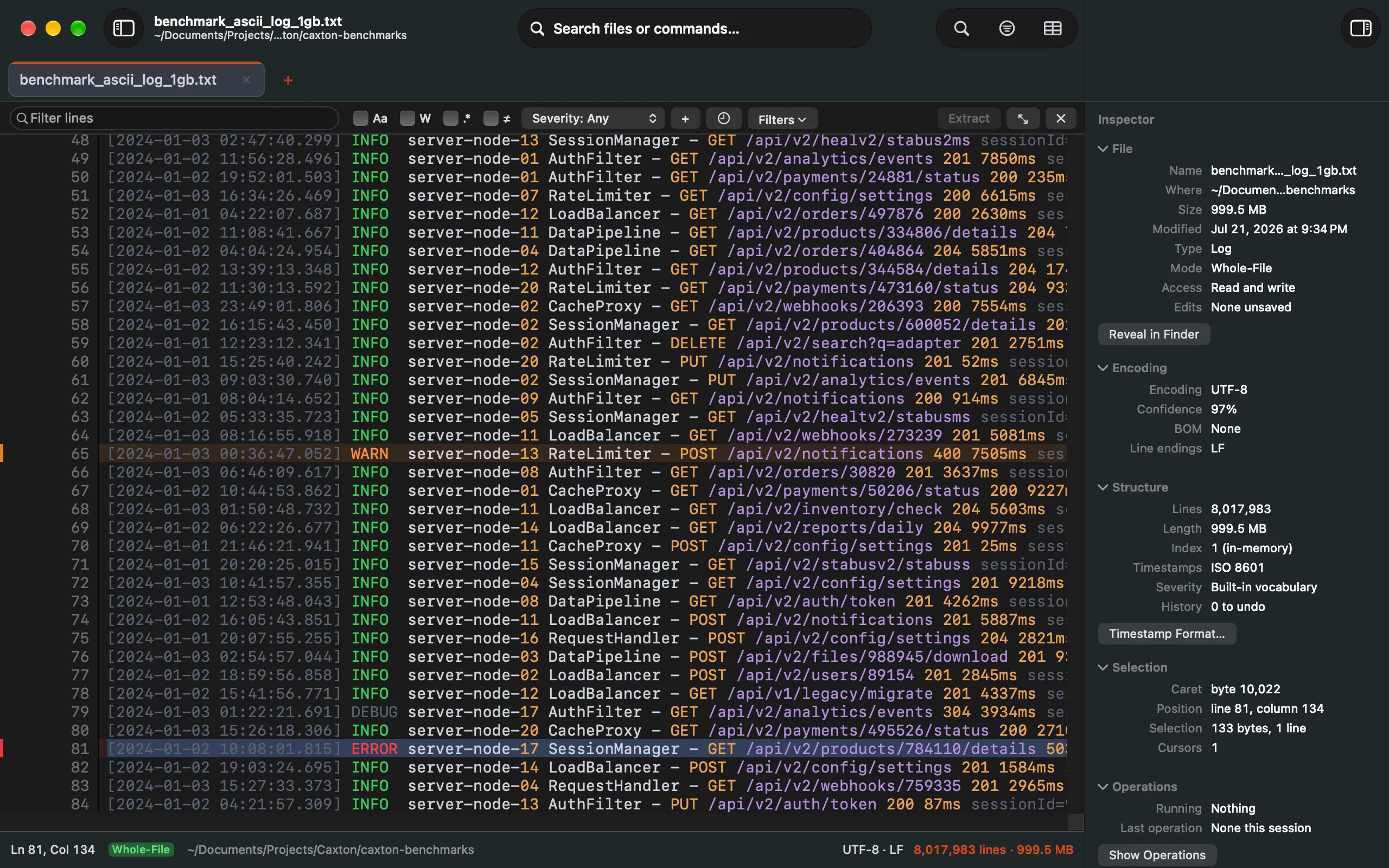
A log's facts: encoding and confidence, line endings, size, the open mode, the timestamp format Log Mode found.
File
The name and folder, the size in bytes (and the size of the UTF-8 working copy when the file was transcoded), when it was modified, the type (CSV, a syntax language, or plain text), the open mode (whole file, a slice or a tail, with the byte range it covers), the access (read and write, or the reason it is read-only), and whether there are unsaved edits. Reveal in Finder sits under the section.
Encoding
The encoding with the detector's confidence, or "chosen" and "Set by you" after Reopen with Encoding; whether a BOM leads the file; whether the document is a working copy transcoded to UTF-8; a second encoding that is also plausible when the detector saw one; and the line endings, read from the first newline in the first 8 KB. When the confidence is under 90% or a second encoding is plausible, Reopen with Encoding… is one click away.
Structure
In the grid: the delimiter in use and where it came from (detected, chosen, from a rule, or from the session), the quote character, whether the first row is a header, the records as rows by columns, the parse state (normal, warning, degraded, failed), the count of malformed rows, a note when a quote never closes, and how many column types you set by hand. In text: the lines (or how many are indexed so far), the length in bytes, and which tier the line index is on. In Log Mode: the timestamp format Caxton is using and whether you chose it, and the severity vocabulary in force (built in, or your own patterns with their count), with Timestamp Format… under the section. Every document shows its history (how many steps to undo and redo, and how much of it is on disk) and its scratch space when it uses any.
Selection
In text: the caret's byte offset, its line and column, the selection's length in bytes and lines, and how many cursors there are. In the grid: the selected block, rows or columns; the cell under the cursor with its row and column, the column's name and type; the cell's Value as the column sees it; and a Raw row with the field's size in bytes on disk, whether it was quoted, and the decoded length when that differs, so a quoted field or a padded number shows what the column sees and how much the file holds for it. A block of cells gets a Statistics row: how many values, how many blank, and the sum and mean of the numeric ones (over the first 20,000 cells).
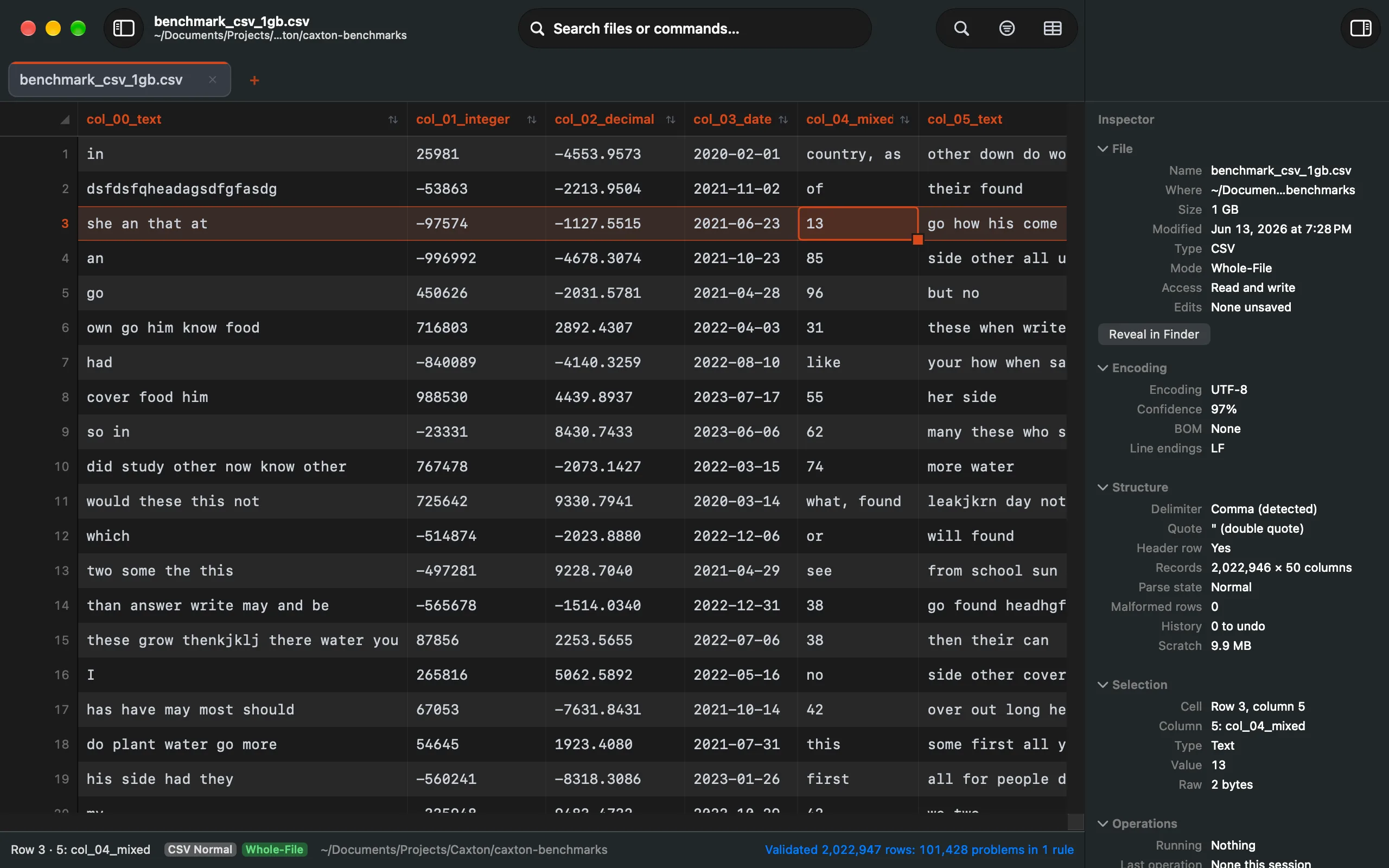
A cell's parsed value, with the Raw row's byte count and flags under it.
Operations
The jobs running for this document with their phases, and the last operation that ran: what it did, its scope, how long it took, and whether ⌘Z reverses it. Show Operations opens the sidebar's Operations panel with the full list.
Width and sections
Drag the inspector's edge to size it; the width is kept per window and shared by its tabs, which take the new width once, when you let go. The sections collapse with a click on their headers, and the collapsed state is kept too.