The find bar
Press ⌘F. Matches highlight throughout the document as you type, with a live counter and, on big scans, a progress readout ("Searching… 42%").
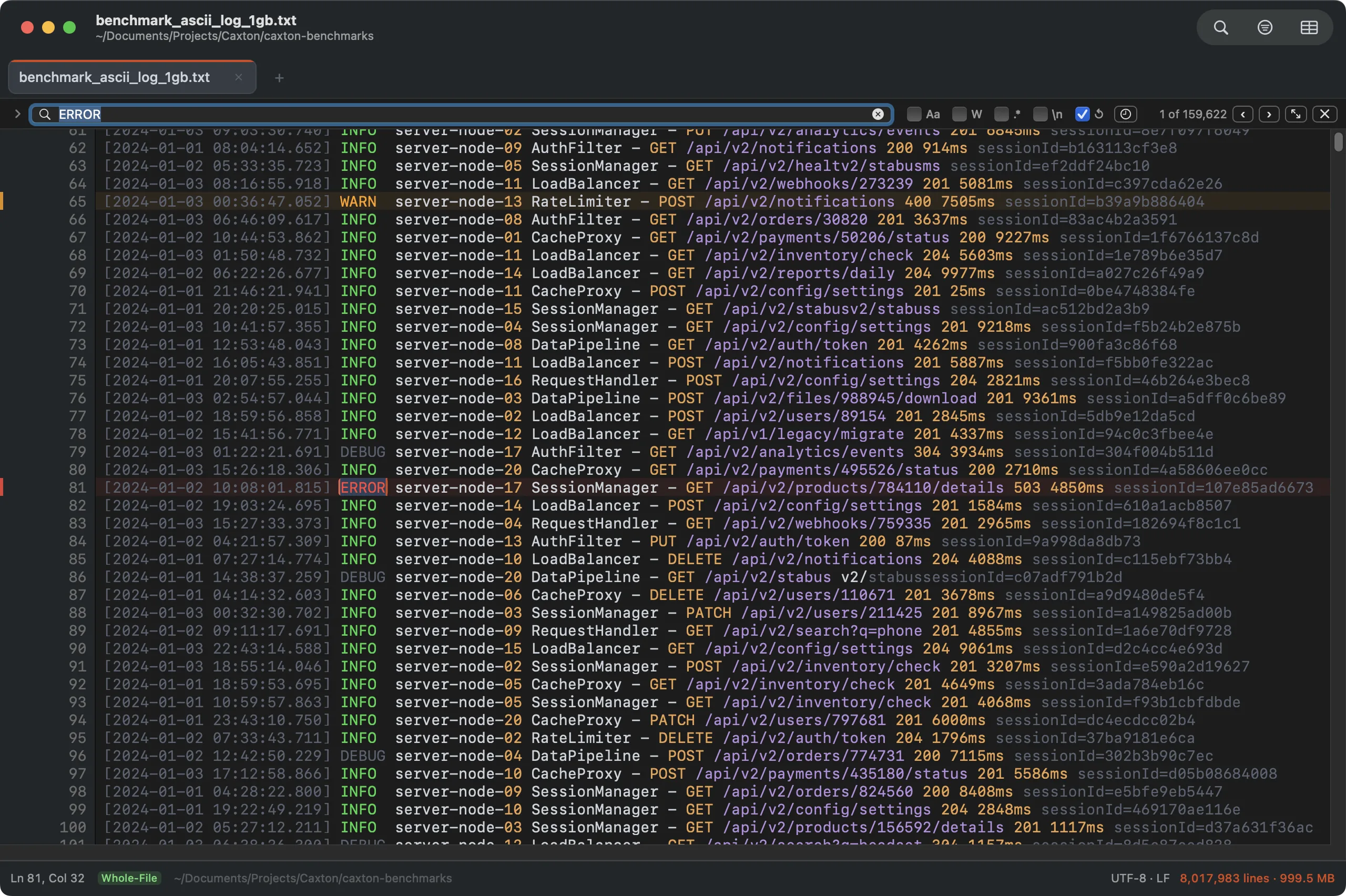
159,622 matches in an 8-million-line log, counted exactly. Enter walks matches; the current one gets the ring.
- Return / ⌘G: next match. ⇧⌘G: previous.
- Aa: match case. W: whole words. .*: ICU regular expressions.
- \n: escape sequences:
\n\t\r\0\\\xHH\uHHHHexpand in literal queries and replacements, so you can search across line boundaries. - ↺: wrap around. Find Next at the last match continues from the first.
- The clock icon recalls recent searches.
- ⌘E uses the current selection as the search term.
At scale: finding all 1,613,344 occurrences of a term in the 10 GB benchmark log takes 1.0 s; a five-way regex alternation with 5.6M matches takes 1.8 s.
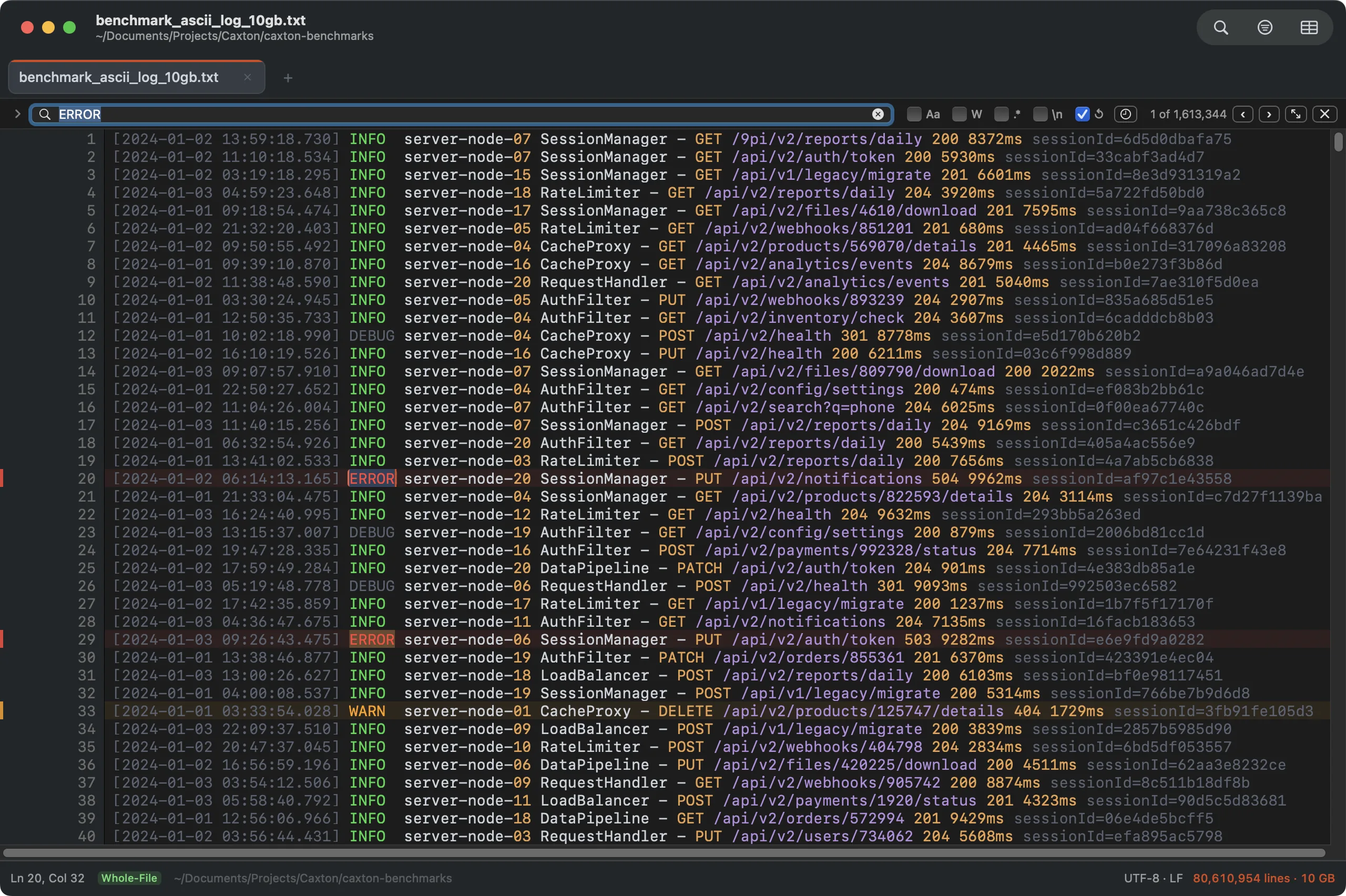
The same find bar against 10 GB: 1.61 million matches, counted exactly. Every match is always counted; the first 2 million are kept for highlighting and navigation, and past that the counter says so and Replace All asks for a narrower query.
Replace
Press ⌥⌘F for the replace row.
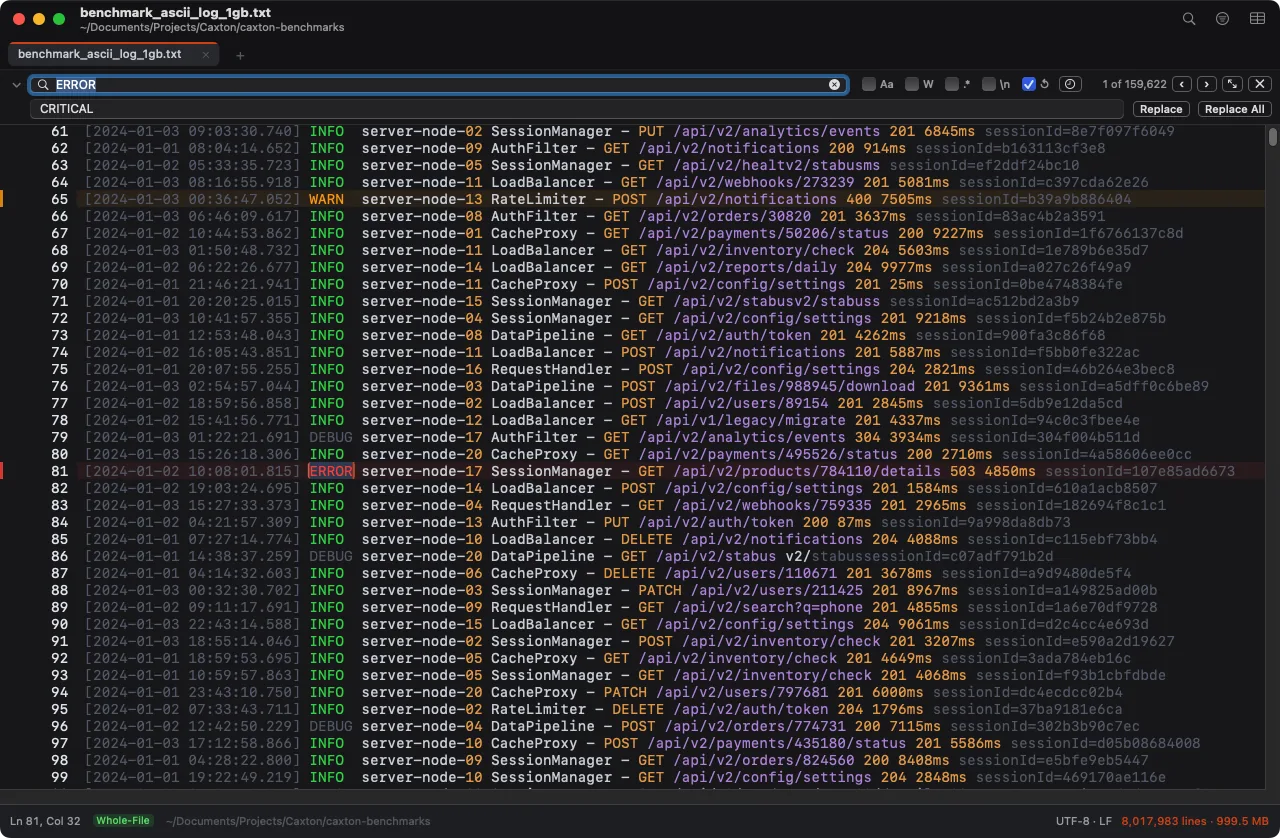
Replace the current match or everything at once. Regex mode supports capture-group templates in the replacement.
Replace All is a single bulk operation, not a loop: replacing all 1.61 million matches in the 10 GB log takes 1.7 s, lands as one undo step, and the document is fully re-indexed the moment it returns. A batch larger than the undo cap (a quarter of the memory macOS can free, between 100 MB and 4 GB) is not undoable, and the preview says so before anything changes.
Before anything changes, a preview attached to the window names the scope, counts the changes, shows up to five before and after samples, and says whether ⌘Z will reverse the step. Above 10,000 changes it adds a warning that the batch is past the recommended size; you can still go ahead, or close the preview and narrow the query first. Each operation sets its own line: a cell transform warns past 100,000 cells, since a batch that size still applies in seconds.
Replace All under a filter
While a line filter or Narrow to Selection is on, a line under the replace row says what Replace All will touch, such as Replace All in 1,204 filtered lines, and a button beside it switches the scope. Click Whole file to replace in every line, hidden ones included; the line then reads Replace All in the whole file, and the button, now Filtered lines only (or Narrowed lines only), switches back. Without a filter the line is hidden and Replace All covers the document.
The Advanced Find panel
The button with two diagonal arrows in the find bar opens the Find & Replace panel. Edit ▸ Find ▸ Find and Replace… opens the find bar with its replace row instead. The find and replace fields keep their history in their menus, the buttons down the right run each action, and the line under the options reports the result (42 matches on 40 lines).
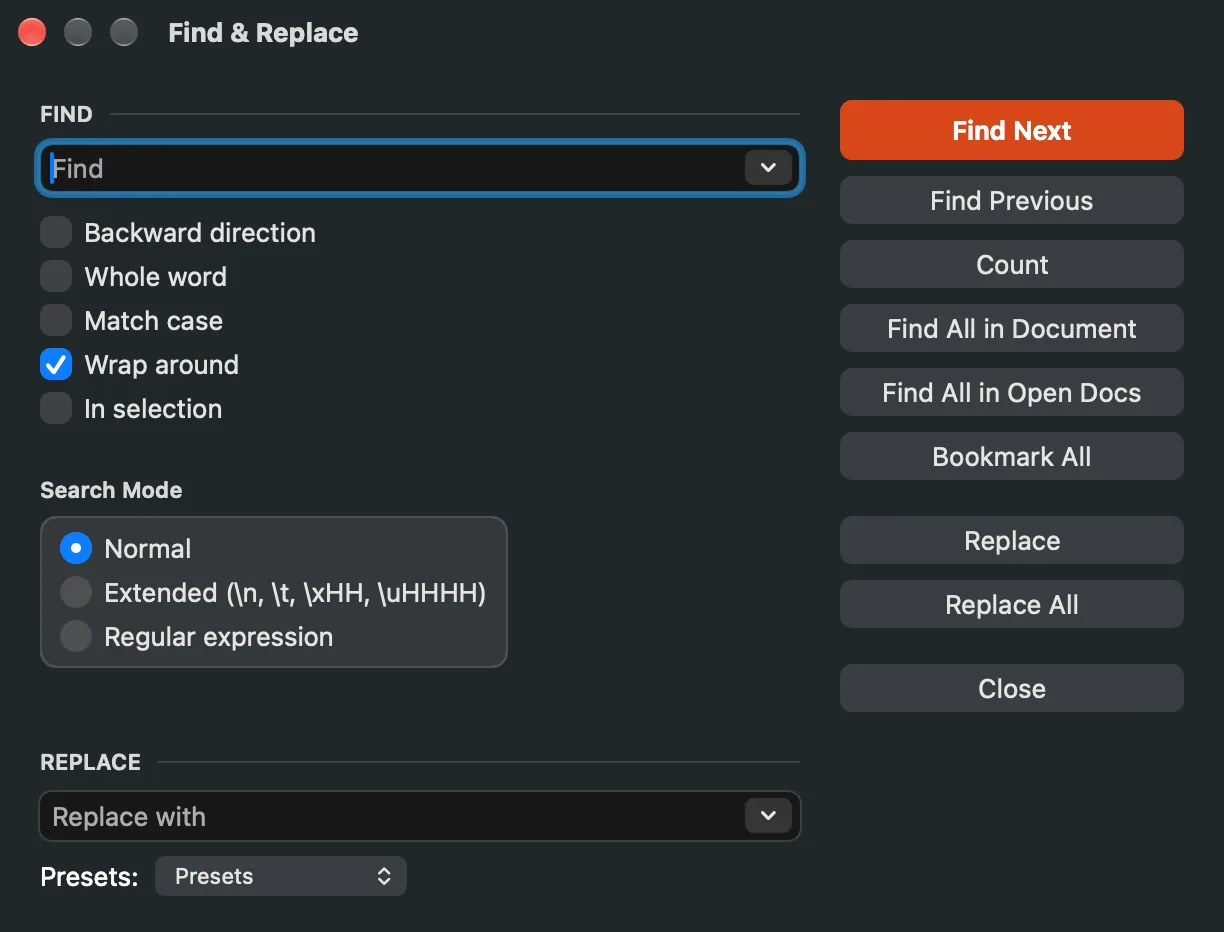
Everything in one panel: search history, all options, Count, Find All, Bookmark All, both replace actions, and presets.
- Search mode: Normal (literal), Extended (escape sequences: \n, \t, \xHH, \uHHHH expand in the query and the replacement), or Regular expression. One choice, Notepad++ grammar.
- Backward direction: Find Next walks toward the top of the document.
- In selection: Count, Find All, Bookmark All, and Replace All stay inside the selection you had when you checked it. Typing in the inline bar returns to whole-document scope, and so does a bulk rewrite (the zone cannot track one, so the checkbox clears instead of filtering through a drifted window).
- Count: exact match count without moving the cursor.
- Find All in Document: every match in the results panel, clickable.
- Find All in Open Docs: hands the query to Find in Files on its All Open Documents scope and runs it.
- Bookmark All: drop a bookmark on every matching line, up to the first 10,000 lines; past that the status bar says how many it bookmarked of how many.
- Presets: the pop-up under the replace field. Choosing a preset by name fills the fields and options. Save as Preset… stores the current search under a name, options and replacement included. Delete a Preset… (shown once a preset exists) asks which one in a Delete Search Preset prompt. Import Presets… and Export Presets… move preset sets between Macs as JSON.
Search reference
The regex engine is ICU, through the system's NSRegularExpression. Unicode word boundaries are always on; case sensitivity follows the Match case option. Patterns are evaluated per line: a match never crosses a line ending, ^ and $ anchor to each line's start and end, and . never matches a newline. A runaway pattern times out instead of hanging: ten seconds per 100 MB scanned, reported honestly in the bar.
| Pattern | Matches |
|---|---|
. | Any character except a line ending |
[abc] · [^abc] · [a-z] | Character classes: any of, none of, a range |
\d \w \s | Digit, word character, whitespace (capitals negate: \D \W \S) |
^ · $ | Start and end of the line |
\b · \B | Word boundary and non-boundary (Unicode-aware) |
* + ? {n} {n,m} | Repetition; append ? for the lazy version |
a|b | Alternation |
(…) · (?:…) | Capture group and non-capturing group; \1 backreferences the first capture inside the pattern |
(?=…) (?!…) (?<=…) (?<!…) | Lookahead and lookbehind, positive and negative |
\uHHHH · \x{…} | A character by code point |
Those are the everyday forms; the full ICU grammar applies. In replacement text, $0 is the whole match and $1…$9 the capture groups. Escape sequences in replacements (\n, \t) expand in both Extended and Regular expression modes.
Extended mode expands these in the query and the replacement: \n \t \r \0 \\ \xHH \uHHHH. Normal mode is byte-literal: what you type is what is found.
How the options combine
One rule makes the combinations predictable: In selection filters the match list itself when results install. The counter, the highlights, navigation, Find All, Bookmark All, and Replace All all walk that same list, so they always agree; there is no combination where one respects the zone and another does not. Wrap-around wraps within the zone.
| Direction | Wrap around | At the list's end |
|---|---|---|
| Forward | On | Find Next at the last match returns to the first |
| Forward | Off | Find Next at the last match beeps and stays |
| Backward | On | Find Next at the first match returns to the last |
| Backward | Off | Find Next at the first match beeps and stays |
Backward direction swaps what the Find Next and Find Previous buttons do; everything else is unchanged. With no current match, Find Next starts at the list's first entry and Find Previous at its last. Replace All applies the whole (zone-filtered) list as one bulk edit and one undo step, with the count confirmed before anything is touched.
The results panel
Find All lists every match with its line and context; click to jump. The tools row works the list like data: group by regex capture (the $1 value; the whole match when the pattern has no group) or by CSV column in grid mode, sort by match text, Filter to Matches (one click hands the query to the filter bar), and Export (grep-style N: line text to a new document, one line per document line; Caxton Pro, like the other extracts). Export streams, so it is listed in the Operations panel while it runs, and closing the window stops it. Grouping caps at 100,000 matches and says so; the flat document-order list has no cap. When edits outdate the list, an orange Results may be outdated badge appears with a Re-run button beside it; the list never silently lies about a document that moved on.
Batch Replace
Edit ▸ Find ▸ Batch Replace… runs a list of find and replace pairs, each with its own case, whole-word, and regex options. The mode popup states the semantics in plain words:
- One pass: every pair matches the original text, overlapping matches go to the earlier pair, and the whole run is one undo step. A pair's output is never re-matched by a later pair.
- In order: each pair sees the previous pair's output and can match it; one undo step per pair.
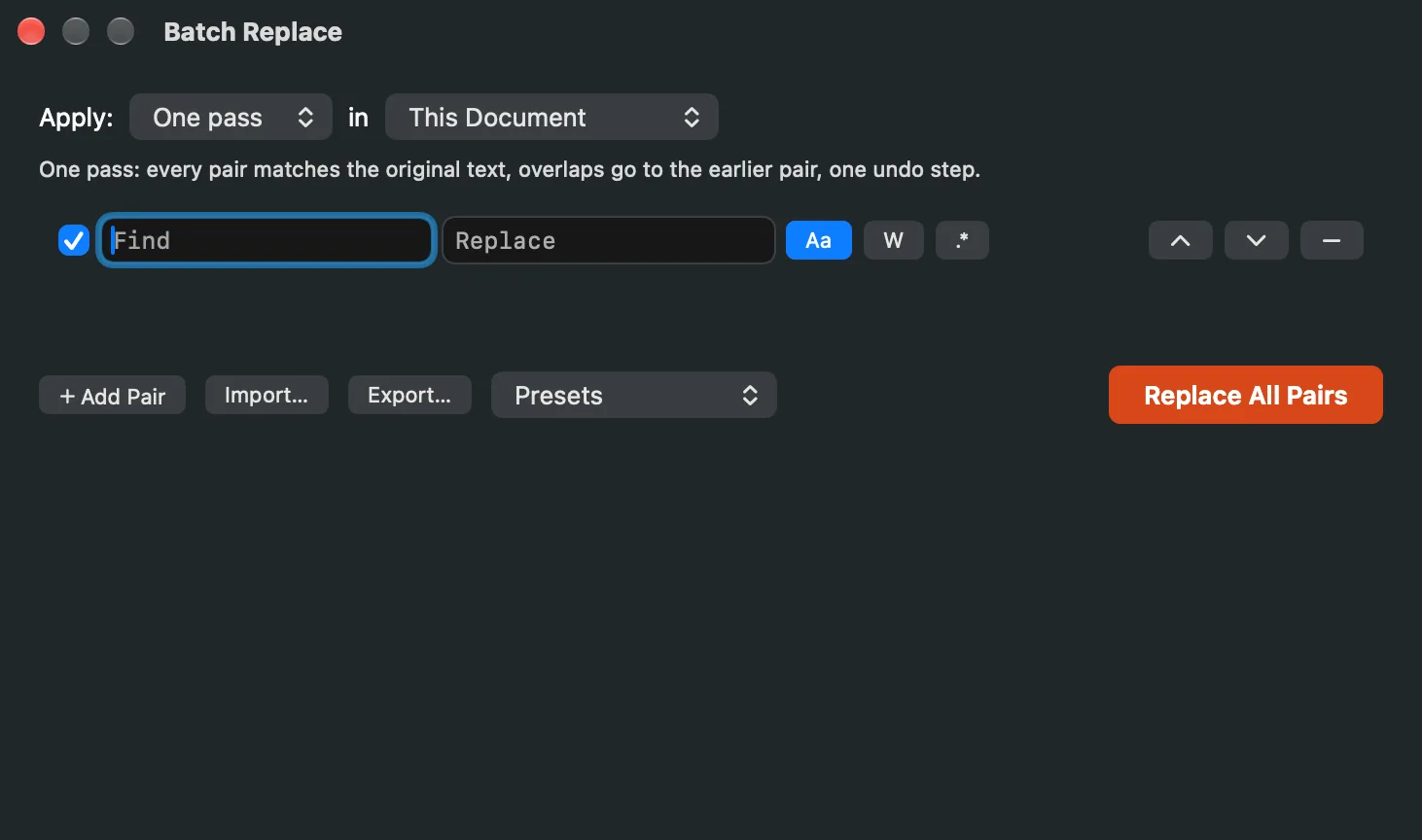
One row per pair. The line under the mode spells out what it does.
Each row has a checkbox that includes or skips the pair, the Find and Replace fields, the Aa (match case), W (whole word) and .* (regular expression) toggles, and buttons to move the pair up or down or remove it. Add Pair adds a row, the Apply pop-up picks the mode, the pop-up beside it picks This Document or All Open Documents, and Replace All Pairs runs the list.
Every row reports found, replaced, and dropped counts after a run, and an invalid regex in one pair never stops the others. Pair lists import and export as CSV or TSV (embedded commas, quotes, tabs, and newlines survive the round trip; a .tsv extension means tabs), and named presets keep the mode with the list (Presets ▸ Save as Preset… and Delete a Preset…). Runs show which pair is running and can be cancelled between pairs. Scope is this document or all open documents; across documents each window keeps its own undo and caret, and a read-only document reports in the summary instead of cancelling the run.
Find in Files
⇧⌘F searches files on disk without opening them, streaming results as they're found. The scope pop-up is Folder, with Choose… to pick it, or All Open Documents. Filename patterns (*.log; *.csv; empty means all files) narrow the walk. Type the query, set Match case or Regex, and click Search, which reads Stop while the search runs. Results list the file, the line and the matching text; double-click one to open the file at that line.
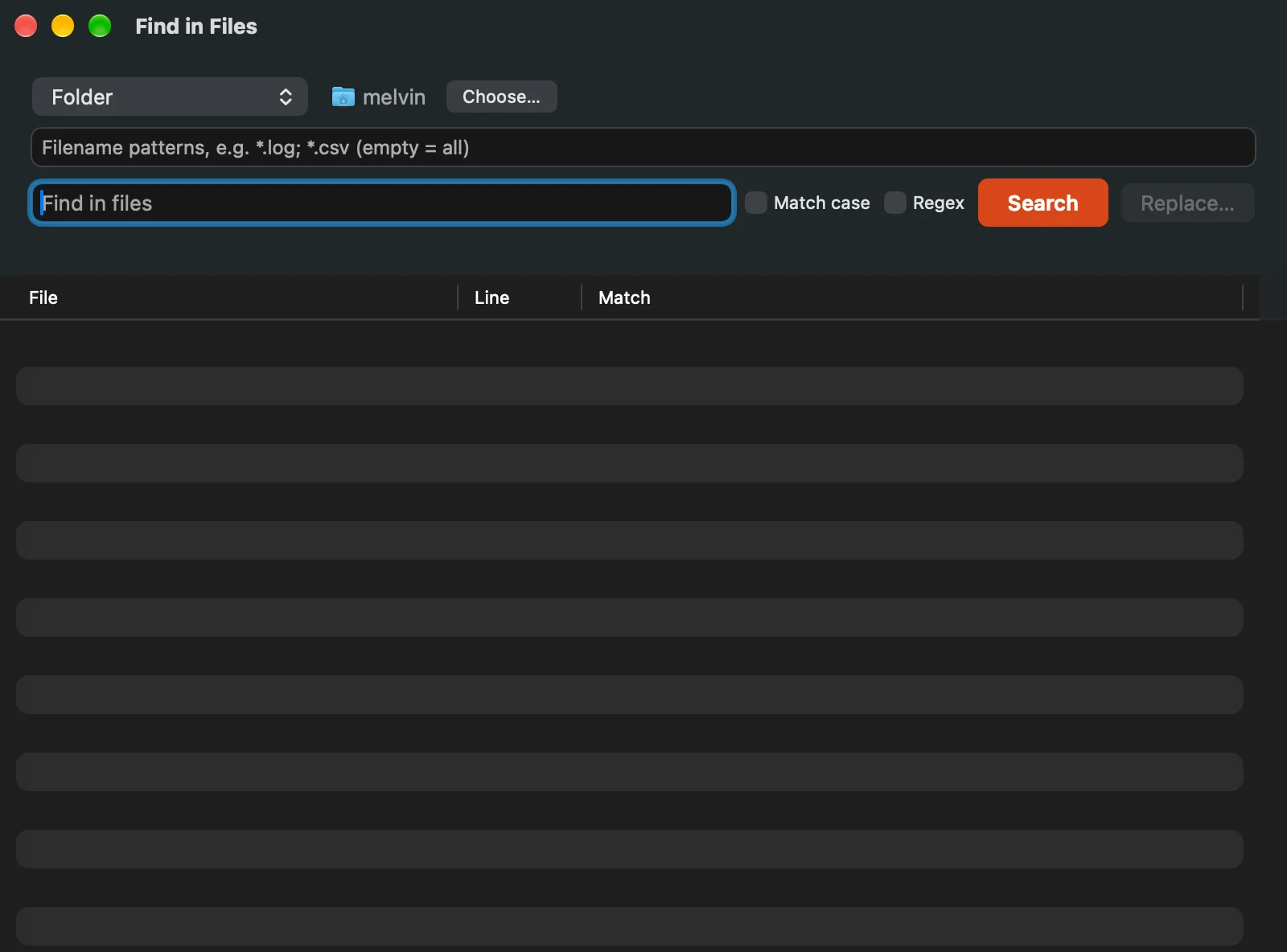
Search a folder on disk, or every document open in Caxton.
What it skips, it reports: files over the 50 MB scan cap, binary files, and unreadable files are listed behind the Skipped button, never silently omitted. UTF-16 files decode and get searched. On a single line longer than 1 MB, a literal query matches exactly at any length; a regex is judged on the start of the line and the file lands in the skip report, saying so.
Replace… extends a search across files, carefully: a preview with per-file counts before anything is touched, .bak backups on by default, atomic per-file writes, and a report covering every skipped file and why. Documents open in Caxton are skipped there; Batch Replace covers them.