The field at the top of every window opens files and runs commands. Click it, or press ⇧⌘O to focus it empty and ⇧⌘P to focus it with a > already typed. Esc returns to the editor. Quick Open and the command palette of 1.x are this field; their menu items open it.
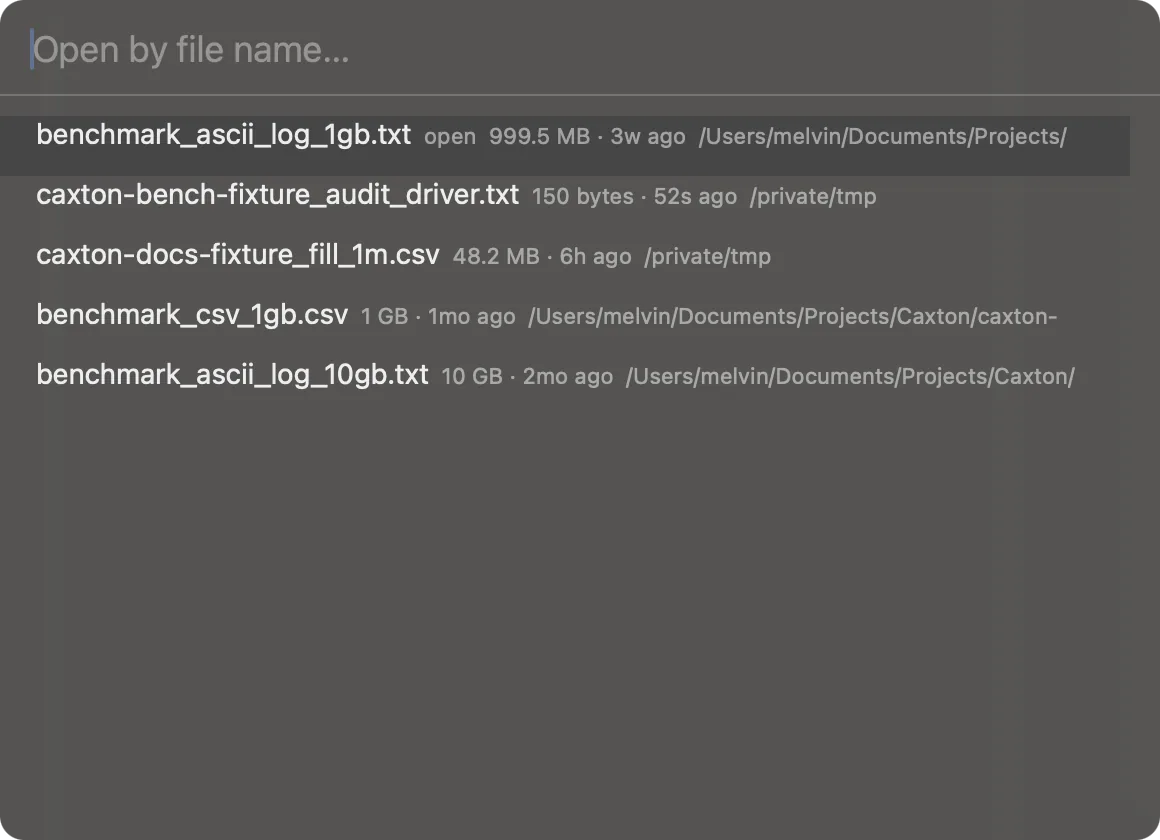
With nothing typed: open documents and recent files, with a hint for commands and lines.
Files
Type part of a file name. The list draws on open documents (Return switches to that window or tab), recent files, the files of your workspaces, and the files in the File Browser's folder. The ranking prefers a match at the start of a name and a shorter name, and between equal matches an open document comes before a recent file, a workspace file and a folder file, in that order; the arrow keys move and Return opens.
Bookmarks
The same typing also searches the current document's bookmarks, by their note and by the text of their line. A bookmark row shows the note (or the line's text when it has none), its line number, and in a log its level; Return goes to the line. Bookmarks appear once you type something, not in the list the empty field shows.
Commands
Type > and then part of a command's name. Every menu command is here with its key equivalent beside it. Return runs the selected command; an empty > lists the commands you ran most recently, newest first.
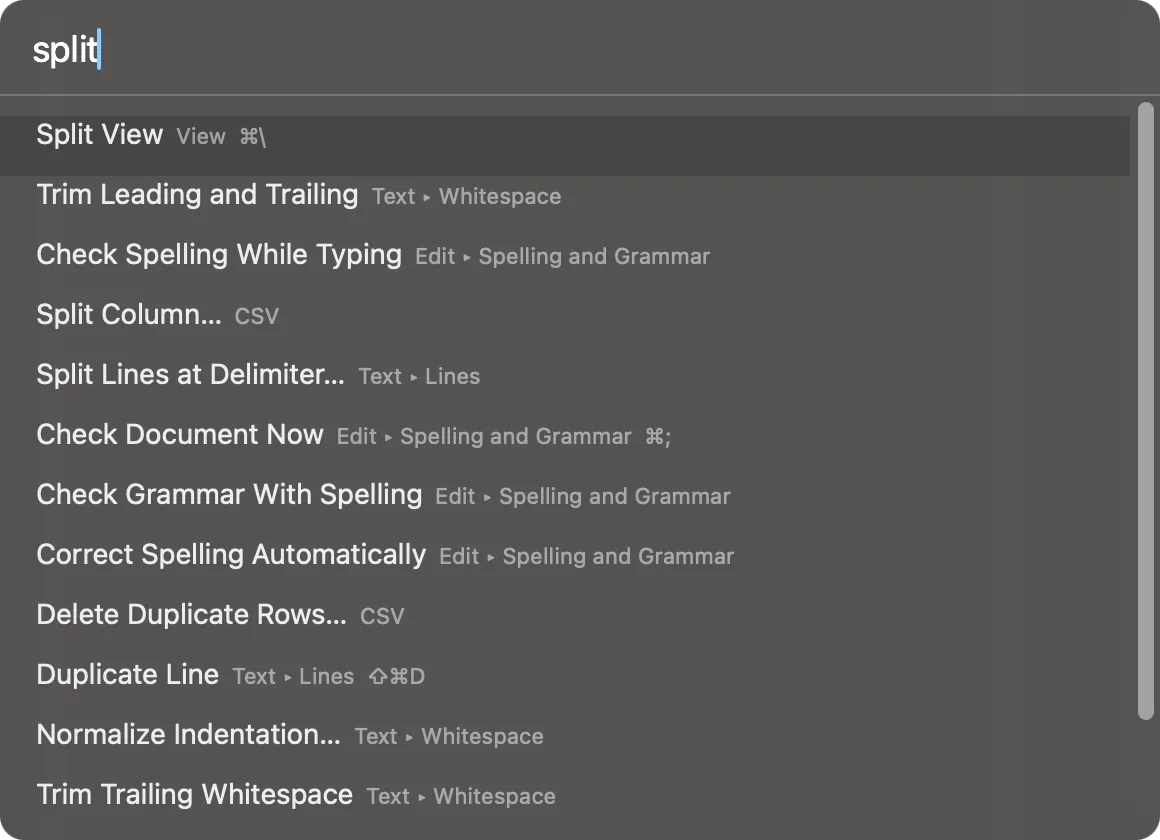
Commands, filtered as you type, with their keys.
Go to a line, a row, a record or a time
Type : and a target. The one row under the field says where Return goes, or why the target does not read.
- A line.
:1234goes to line 1,234 in text. In the grid it goes to row 1,234, and:500:12goes to row 500, column 12. - A percent or a byte.
:50%and:b1000000work as they do in Go to Line. - A record.
:r1234goes to record 1,234 when the document has a record index. - A time, in a log.
:14:03:30,:2026-09-04 14:03and the other forms Go to Time takes land on the first line at or after that time. - An offset, in a log.
:+5m,:-30s,:+2hand:+1dmove forward or back from the caret line's record, and the row reads Go forward or Go back.
An empty : lists the forms the current document takes.
Where it sits
With no document window open, as from the Welcome window, ⇧⌘O and ⇧⌘P open the same list under a field of its own. The list is gathered each time the field opens, so it shows the documents and bookmarks there are now, never a closed document.
The field stays centered in the toolbar whatever columns are open. On macOS 26 and later its list takes the system's glass; with Reduce Transparency or Increase Contrast on it keeps a solid tone. VoiceOver reads the field as "Search files or commands" and each row's text.