Multi-cursor editing
⌥Click adds a cursor (click one again to remove it). ⌃⌘G places a cursor on every occurrence of the selection at once; ⌘D is the one-at-a-time version: it selects the word under the caret, then each press adds the next occurrence, wrapping around and bounded to a 64 MB scan per press on very large files. Typing, deleting, and pasting apply at every cursor simultaneously and land as one undo step.
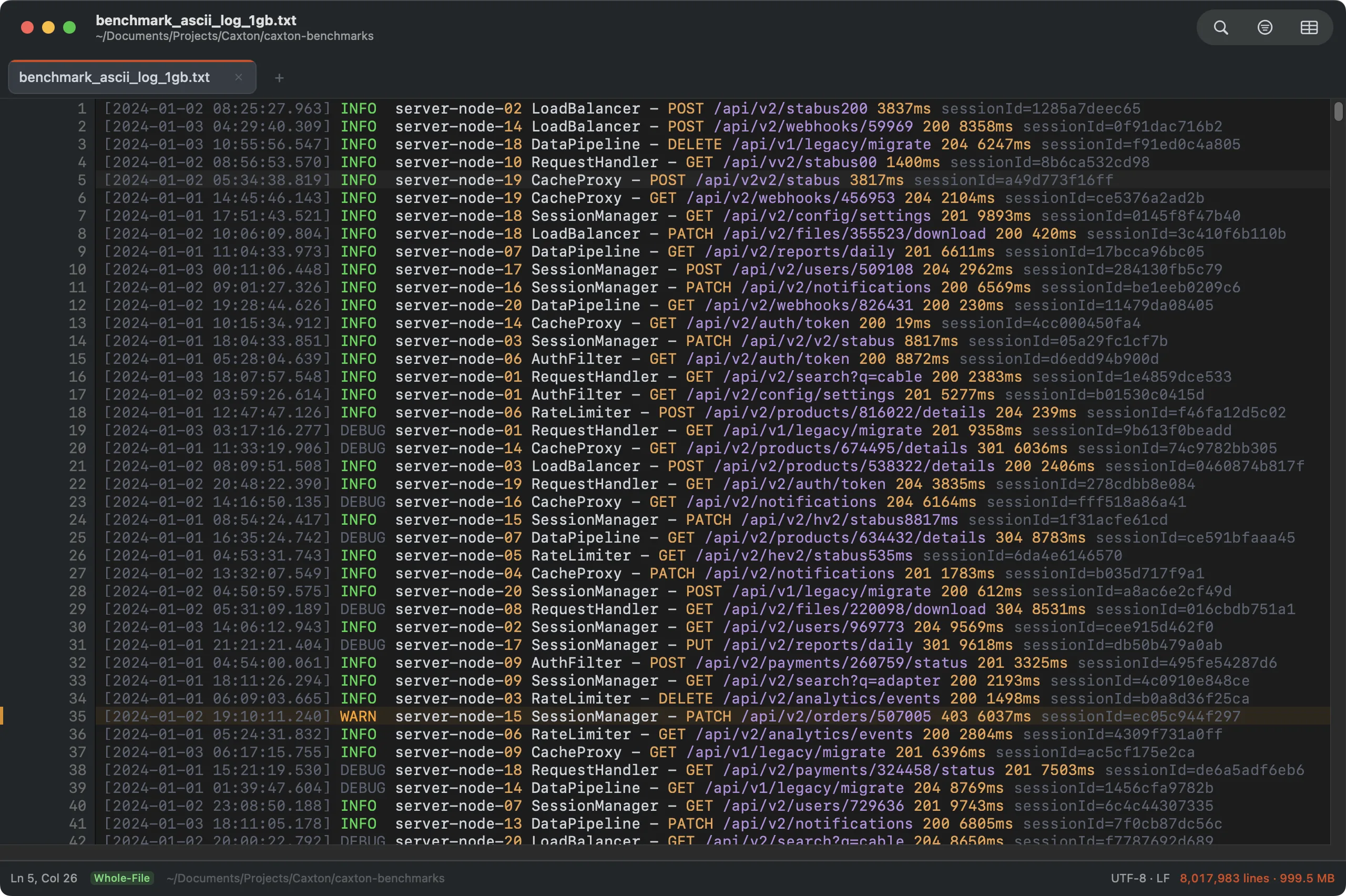
Eight carets, one keystroke each. The cap is 1,000 cursors; a keystroke at the full cap on a 10 GB file applies in under 120 ms.
Rectangular selection
⌥Drag selects a column of text across rows. The result is an ordinary multi-cursor selection, so typing or deleting edits every row at once. ⌥⇧Click is the click version: click one spot, Option-Shift-click another, and the column selection sweeps every line between the caret and the click.
The keyboard drives it too: ⌥⇧↑ and ⌥⇧↓ start a rectangle at the caret or grow one that exists (a mouse-started rectangle keeps growing from the keyboard), ⌥⇧← and ⌥⇧→ widen an active rectangle a column at a time, and ⌥⇧PgUp/⌥⇧PgDn extend it a viewport at a time. Without an active rectangle, ⌥⇧←→ keep their macOS meaning, selecting by word.
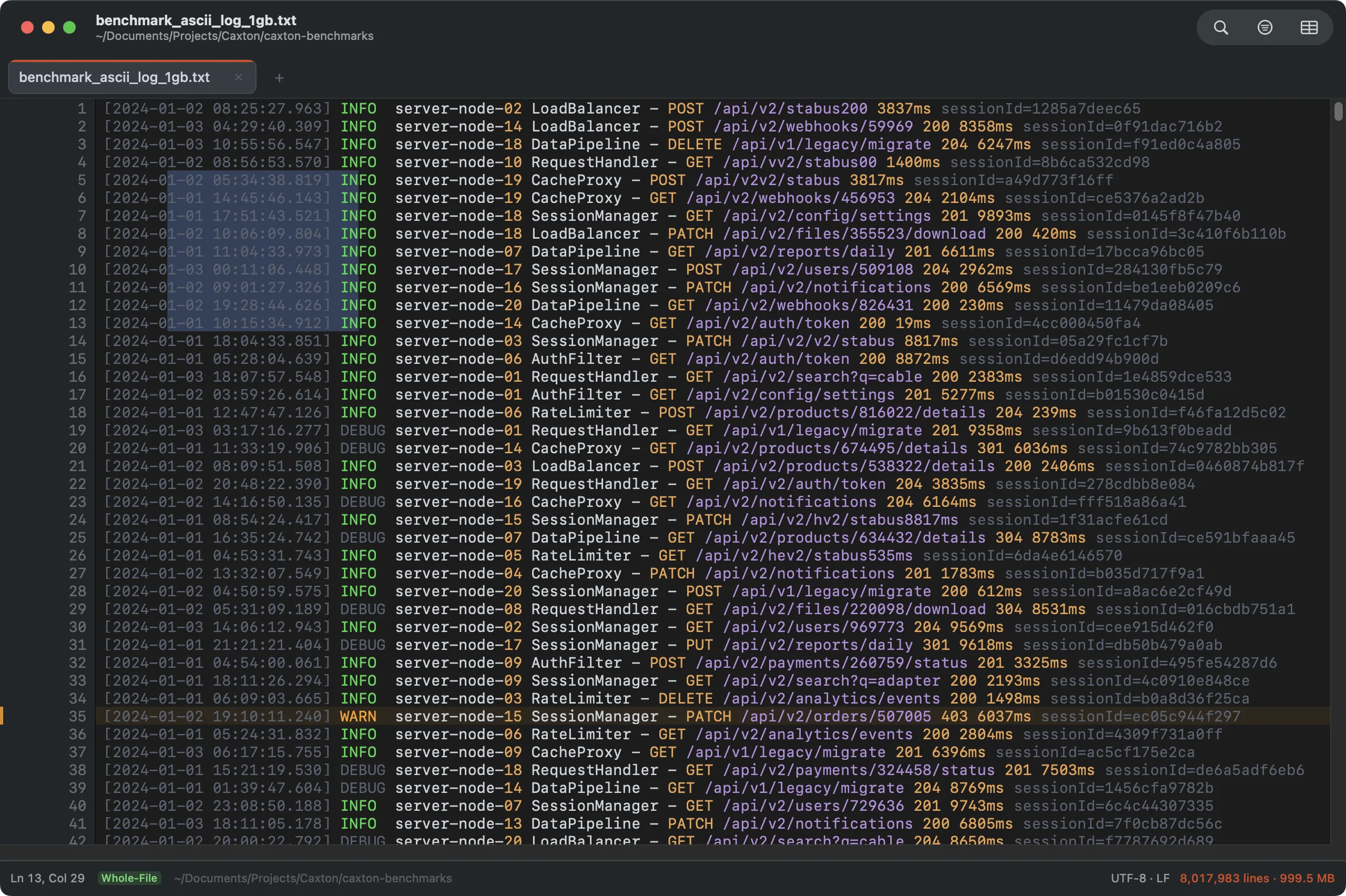
Option-drag for column selection: each row gets its own selection span, clamped to shorter lines.
Smart selection & word-wise movement
⌃⇧⌘→ grows the selection structurally (word, dotted token, quoted string, brackets, line, paragraph) and ⌃⇧⌘← steps back exactly the way it came (Edit ▸ Expand Selection and Contract Selection). ⌥←/⌥→ move by word, ⌥⌫ deletes a word at a time, and ⌘⌫ clears to the start of the visual row, all multi-cursor aware, and all correct under soft wrap.
Clicking a line number in the gutter selects that whole line; ⇧Click on another line number extends the selection to cover every line between.
Comment toggling
⌘/ toggles line comments, language-aware: uncomment wins only when every non-blank selected line is already commented, markers land in a straight column at the shallowest indent, blank lines stay untouched, and multi-cursor selections comment all their lines as one undo step. ⌥⌘/ toggles a block comment around the selection; an empty selection drops the pair and parks the caret inside. Languages without a line marker (HTML, XML) route ⌘/ to the block pair automatically.
Brackets
Typing (, [, {, or a quote auto-closes with the caret between; typing the closer walks over the auto-inserted one, and backspace on a fresh pair removes both. The guards keep it polite: type-over applies only to the most recently auto-inserted pair, quotes stay single against a word character, apostrophes pair only in code languages, and a selection wraps instead of being replaced. The matching bracket at the caret gets a ring highlight. Edit ▸ Brackets carries Jump to Matching Bracket (⌃⌘B), Select Surrounding Pair (⌃⇧⌘B), Delete Surrounding Pair, Change Surrounding Pair To, and the Auto-Close Brackets toggle. Delete Surrounding Pair removes the nearest enclosing brackets and keeps what is between them; Change Surrounding Pair To swaps them for ( ), [ ] or { }. Each is one undo step.
Snippets
Author snippets in Edit ▸ Snippets…: a name, the abbreviation that triggers it, an optional language list, and a body using $1…$9 tab stops, ${1:default} placeholders, $0 for the final caret, repeated stops as simultaneous-cursor mirrors, and $DATE $TIME $FILENAME $CLIPBOARD variables (\$ for a literal dollar). Type the abbreviation and press ⇥: it expands as one undo step with the first placeholder selected, ⇥ walks the remaining stops while they track your typing, and ⎋ ends the session. Malformed syntax passes through literally; a snippet never eats text.
Word completion
⌥⎋ (or Edit ▸ Complete Word) pops a panel at the caret listing identifiers from the document itself, frequency-ordered, matching what you have typed. Keep typing to narrow; Return or Tab accepts. No dictionaries and no guessing: the document is the source of truth, and the scan is a bounded window around the caret, so it stays instant at any file size.
Clipboard history
⇧⌘V opens the history of the last 50 things cut or copied inside Caxton. It is editor-local by design: the system pasteboard is never monitored, so other apps' clipboards are structurally invisible to it. Unpinned entries live in memory and end with the app; ⌘P pins an entry to persist (capped at 20); entries over 1 MB and copies from sensitive-looking files (.env, key material, credentials) are never recorded. Return pastes and becomes the live clipboard; with multiple cursors, ⌥Return spreads an N-line entry one line per cursor.
Undo, redo, and bulk operations
- Undo history is unlimited in count and capped by memory; batch operations (Replace All, multi-cursor edits, every Text menu command) are single entries.
- Undoing a 1.6-million-site Replace All takes milliseconds; the batch replays through the same bulk engine that applied it.
- A Replace batch too large for this Mac's undo memory cap, which is a share of the memory it can reclaim, still applies, but Caxton reports that the step can't be undone, instead of silently dropping history.
- Under memory pressure, older undo history moves to disk in the background. If Undo cannot read a saved edit back, the status bar says so and the document is left as it was.
Two edits ask before they go past the cap. Typing over or deleting a selection larger than the cap opens This edit replaces size and is too large to undo. Continue?, and pasting that much opens This paste is too large to undo on this Mac. Paste anyway?. Return applies the edit and Escape cancels. An edit applied this way cannot be reversed with ⌘Z, the status bar says so, and Caxton asks before you close the document with unsaved changes.
Edit ▸ Bookmarks ▸ Delete Bookmarked Lines… and Delete Non-Bookmarked Lines… confirm first with Delete N bookmarked lines? (or non-bookmarked). The sheet says whether one ⌘Z reverses the deletion or whether it is too large to undo on this Mac.
When an edit is refused
Bulk edits and Text menu commands check the document before they run and say in the status bar why they did not.
| The banner says | What it means |
|---|---|
| unavailable while saving | A save is writing the file. Try again when it finishes. |
| needs the index to finish | The line index of a large file is still being built. Try again in a moment. |
| cancelled, and that the document changed | The document was edited, reloaded or appended to between the preview and the apply. Run the command again. |
| unavailable, this document is read-only | The file was opened read-only or cannot be written. |
| available in Caxton Pro | Editing, and extracting to a new document, need Caxton Pro. Caxton ▸ License… activates a key. |
| limited to 256 MB | Text menu commands work on up to 256 MB at a time. Select a smaller region. |
The Text toolbox
The Text menu is a full toolbox that operates on the selection (or the whole document) at engine speed. Every operation lands as one undo step, and the caret-scoped line operations work on raw bytes: duplicating or moving a line is byte-exact even around invalid UTF-8.
Two kinds of command live here. Line commands (sorting, trimming, numbering) act on every line the selection touches, or on the whole document when nothing is selected. Selection transforms (case, escapes, numbers, Base64 and URL) need a selection and change only the selected text. Both work on up to 256 MB at a time.
A command that needs a value opens a short form attached to the document window. Fill in the fields and click the button at the right to run it; Cancel closes the form and changes nothing.
Case
Uppercase, Lowercase, Title Case, Sentence Case and Toggle Case, plus an Identifier Case submenu with all seven programmer casings: camelCase, PascalCase, snake_case, kebab-case, CONSTANT_CASE, dot.case, space case (acronym-aware; HTTPServer splits correctly).
Sorting and duplicates
| Command | What it does |
|---|---|
| Sort Lines | A to Z, ignoring case. Lines that compare equal keep their order, so a sort followed by a dedupe gives the same result every time. |
| Sort Lines Descending | Z to A, ignoring case, with the same stable order for equal lines. |
| Sort Lines Numerically | By the number each line starts with, smallest first. Lines that do not start with a number go last, in their original order. |
| Sort Lines by Length | Shortest line first, counted in characters. |
| Reverse Lines | Last line first. |
| Delete Duplicate Lines | Keeps the first copy of each line and removes the later ones. Lines must match exactly, case included. |
| Delete Lines Matching… | Removes every line that matches a pattern, or keeps only those lines. See below. |
Lines
Text ▸ Lines holds the caret commands first: Duplicate Line ⌘⇧D, Delete Line ⌘⇧K, Copy Line, Move Line Up and Move Line Down ⌥⌘↑↓, and Indent and Outdent ⌘] ⌘[. They act on the caret's line when nothing is selected. Join Lines ⌃J joins the selected lines into one, each piece trimmed and separated by a single space.
| Command | What it does |
|---|---|
| Split Lines at Delimiter… | Opens the Split Lines form. Type the Delimiter (for example , or ;) and click Split: each line breaks into new lines at every occurrence, and the delimiter is removed. |
| Shuffle Lines | Puts the lines in a random order. |
| Remove Empty Lines | Deletes blank lines. A line that holds only spaces or tabs counts as blank. |
| Keep Only Duplicate Lines | The reverse of Delete Duplicate Lines: keeps every copy of each line that appears more than once and removes the lines that appear once. Use it to see what is duplicated. |
| Number Lines… | Opens the Number Lines form. Start at is the first number (a whole number, 1 by default) and Separator is the text between the number and the line (. by default). Click Number: the numbers are right-aligned, so 9. lines up with 10. . |
| Add Prefix/Suffix… | Opens the Add Prefix and Suffix form. Type a Prefix, a Suffix or both, and click Add to put them at the start and end of every line. |
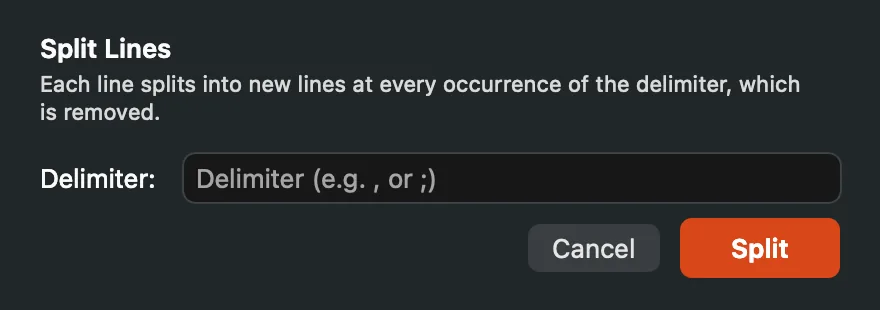
Split Lines breaks each line at every delimiter it finds.
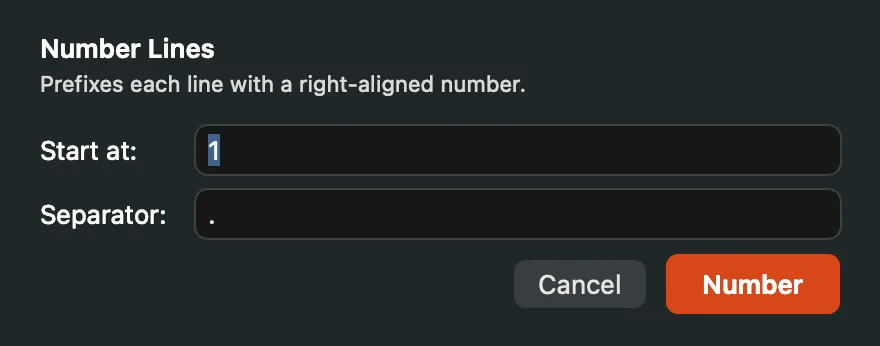
Number Lines starts at any whole number and puts your separator after each number.
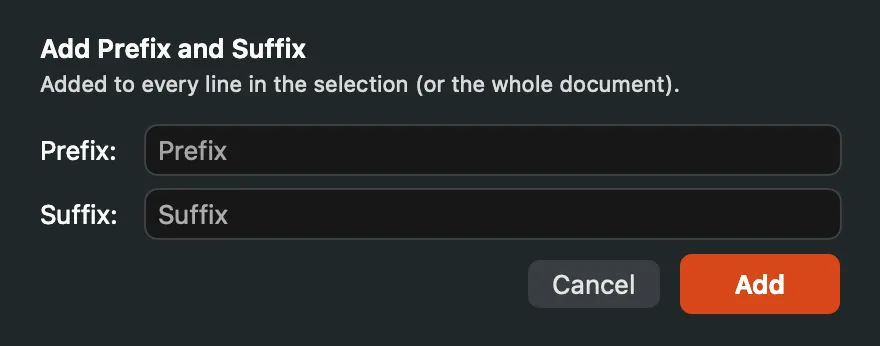
Either field can be empty; the form needs one of them.
Delete Lines Matching
Text ▸ Delete Lines Matching… opens a form with a Pattern field and three options: Regular expression, Match case, and Keep only matching lines (delete the rest). Click Delete and Caxton scans the document, then shows a preview attached to the window with the number of lines, a few before and after samples, and whether ⌘Z reverses it. The deletion applies as one undo step.
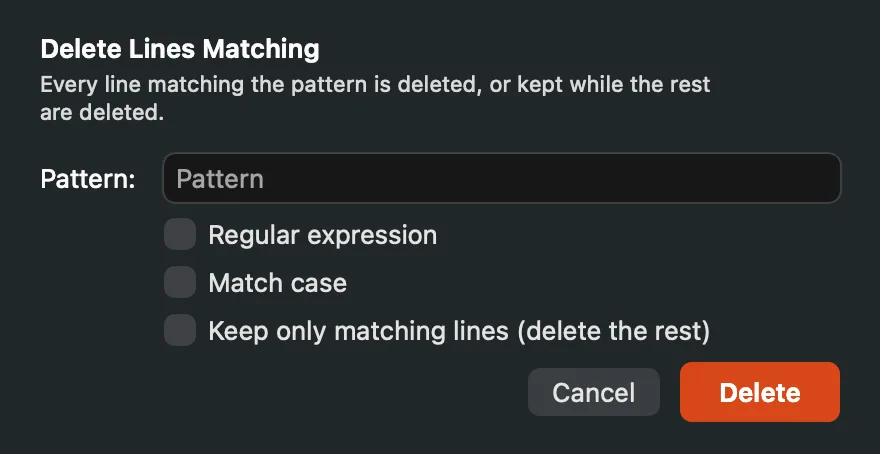
Delete the matching lines, or tick the last option to keep only them.
When the lines to delete fall in more than 1,000 separate ranges, Caxton offers Stream to New Document instead: the remaining lines are written to a new document and the original file is left unchanged. The stream is listed in the Operations panel with its progress, and closing the window stops it. A pattern that would delete every line, or none, is refused with a banner.
Paragraphs
Hard Wrap to Column…, Reflow to Column…, and Unwrap Paragraphs. The two wrap commands ask for a Column between 20 and 500. Quote and comment prefixes (>, //, #) are preserved on every wrapped line, and a list dash isn't multiplied into new bullets.
Tab manners
With a selection, Tab indents the selected lines and ⇧Tab outdents them (⇧Tab outdents the caret line even without a selection); Home and End jump to the line's start and end (⌘Home/⌘End: the document's), and PgUp/PgDn move the cursor a viewport at a time, extending with ⇧.
Whitespace
| Command | What it does |
|---|---|
| Trim Trailing Whitespace | Removes whitespace at the end of each line. |
| Trim Leading and Trailing | Removes spaces and tabs at both ends of each line, indentation included. |
| Collapse Repeated Spaces | Turns each run of ordinary spaces into one space. Tabs and other space characters are left alone. |
| Convert Non-Breaking Spaces | Replaces non-breaking spaces (U+00A0 and the narrow U+202F) with ordinary ones. |
| Convert Tabs to Spaces | Replaces each tab with the spaces that reach the next tab stop at the current tab width, so aligned columns stay aligned. |
| Convert Spaces to Tabs | Rewrites the indentation at the start of each line as tabs at the current tab width, with spaces for any remainder. Spaces inside the line are left alone so columns keep their alignment. |
| Normalize Indentation… | Opens the Normalize Indentation form. Choose a Style, Spaces or Tabs, and click Normalize: every line's leading whitespace is rewritten in that style at the same depth, using the current tab width. |
| Detect Mixed Indentation | Changes nothing. The status bar reports how many lines mix tabs and spaces in their indentation, with the first five line numbers, or says the indentation is consistent and whether it uses tabs or spaces. |
| Tab Width ▸ | 2, 3, 4 or 8 spaces. The editor renders tabs at this width and the conversions above use it. |
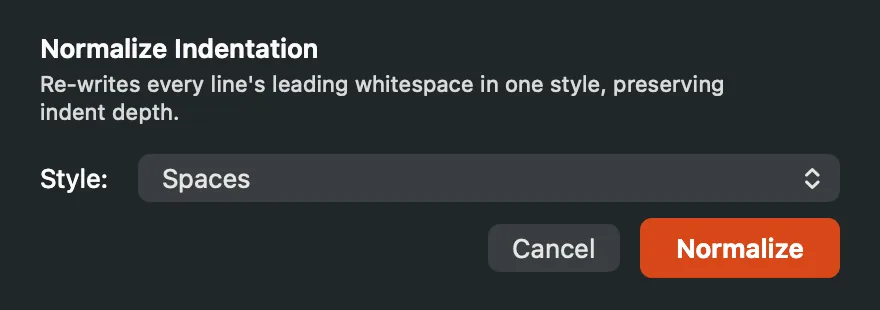
Normalize Indentation keeps each line's depth and changes only the characters.
Numbers
The number commands act on the selection. A number is a run of ASCII digits with an optional decimal part; a minus sign counts when it is not attached to a word, so item-3 holds the number 3, not -3.
| Command | What it does |
|---|---|
| Increment Numbers | Adds 1 to every number in the selection. Zero-padding keeps its width: 007 + 1 is 008. |
| Decrement Numbers | Subtracts 1 from every number in the selection. |
| Apply Arithmetic… | Opens the Apply Arithmetic form. Choose the Operation (Add, Subtract, Multiply or Divide), type the Operand, and click Apply. Integers stay integers and decimals keep their precision. |
| Pad Numbers… | Opens the Pad Numbers form. Type a Width from 1 to 30 digits (3 by default) and click Pad: every whole number is zero-padded to that width. Decimals are left alone. |
| Convert Number Base… | Opens the Convert Number Base form. Choose From and To among Binary (2), Octal (8), Decimal (10) and Hex (16) and click Convert. Every whole number standing on its own is converted; hex input may carry a 0x prefix, and hex output is lowercase without one. |
| Sum Numbers | Changes nothing. The status bar shows the sum, how many numbers it found and their average. |
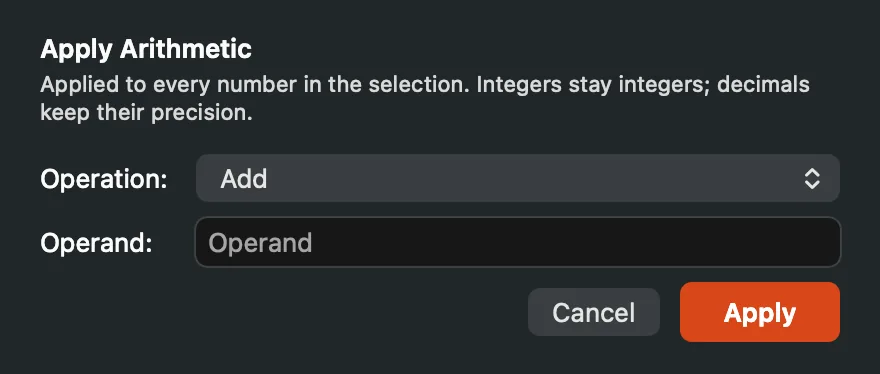
Apply Arithmetic runs one operation on every number in the selection.
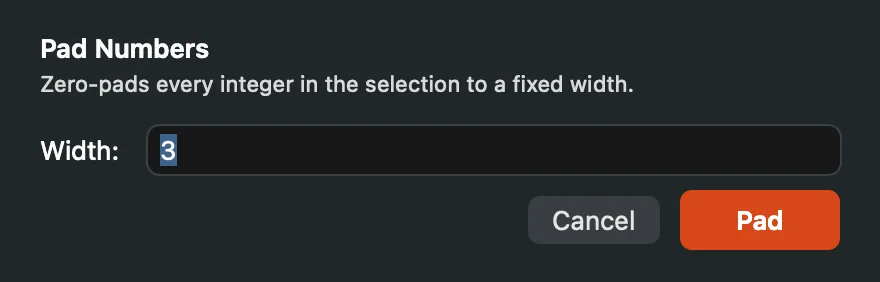
Pad Numbers zero-pads whole numbers to the width you give.
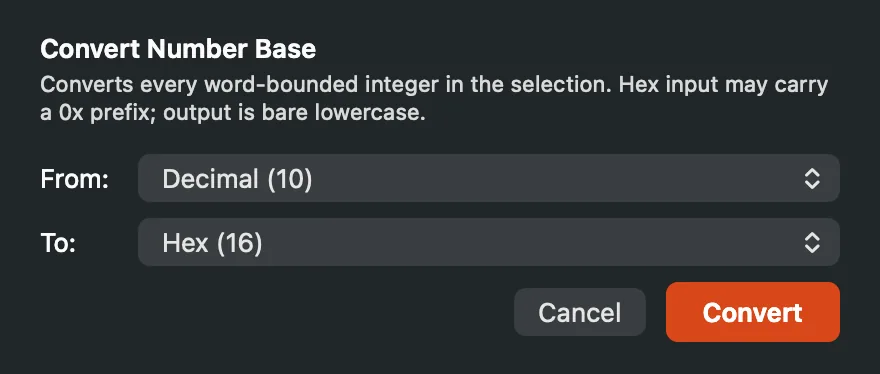
Convert Number Base opens on decimal to hex.
Insert Date/Time
Text ▸ Insert Date/Time types the current moment at every cursor. The formats do not depend on your Mac's language or region settings.
| Format | Example |
|---|---|
| Date (YYYY-MM-DD) | 2026-10-05 |
| Time (HH:MM:SS) | 14:30:05, on a 24-hour clock |
| Date and Time | 2026-10-05 14:30:05 |
| ISO 8601 Timestamp | 2026-10-05T14:30:05-04:00, local time with its offset |
| ISO 8601 UTC | 2026-10-05T18:30:05Z |
| Unix Epoch Seconds | 1791225005 |
Escapes and encodings
Base64 Encode, Base64 Decode, URL Encode and URL Decode sit directly in the Text menu; the rest are in Text ▸ Escapes. All of them change the selection only. A decode that meets input it cannot read is refused with a banner and the text is left as it was.
| Command | What it does |
|---|---|
| Base64 Encode | Encodes the selection's UTF-8 bytes as Base64. |
| Base64 Decode | Decodes Base64 back to text. Refused when the selection is not valid Base64. |
| URL Encode | Percent-encodes the selection for use in a URL. |
| URL Decode | Turns %20 and the other percent escapes back into characters. Refused when the escapes are malformed. |
| HTML Encode | Writes & < > " ' as & < > " '. |
| HTML Decode | Turns &, <, >, ", ', and numeric entities such as é or é back into characters. Entities it does not know stay as typed. |
| XML Escape | The same five characters as HTML Encode, with ' written as '. |
| XML Unescape | Decodes the same entities as HTML Decode. |
| JSON Escape | Escapes the selection for use inside a JSON string: backslashes, double quotes, line breaks, tabs and other control characters. The surrounding quotes are not added. |
| JSON Unescape | Reverses it, surrogate pairs included. Refused when the selection is not a valid JSON string body. |
| Hex Encode | Writes the selection's UTF-8 bytes as lowercase hex pairs with no separators: Hi becomes 4869. |
| Hex Decode | Reads hex pairs back into text, ignoring whitespace between them. Refused on an odd number of digits, a character that is not hex, or bytes that are not UTF-8. |
| Unicode Escape | Writes every non-ASCII character as \uXXXX, with characters outside the Basic Multilingual Plane as a surrogate pair. ASCII stays as it is. |
| Unicode Unescape | Reads \uXXXX (surrogate pairs included) and \u{XXXXXX} back into characters. Refused on a malformed escape. |
| ROT13 | Rotates letters by thirteen places; running it twice restores the text. |
| Normalize Unicode ▸ | NFC, NFD, NFKC or NFKD. |
Hash
Text ▸ Hash computes SHA-256, SHA-512, SHA-1 or MD5 of the selection (up to 256 MB) and shows the digest in a panel named for the algorithm, such as SHA-256 of Selection. Copy puts the digest on the clipboard and Done closes the panel. Your text is never replaced.
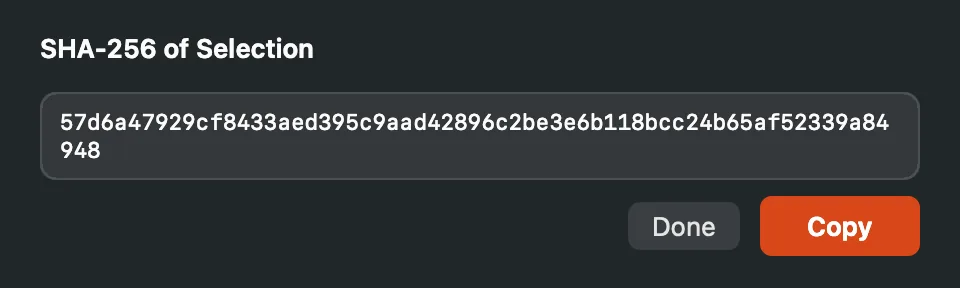
The digest is selectable text; Copy takes all of it.
Formatters
Format JSON and Format XML pretty-print in place. Format XML trims text nodes and puts each tag on its own line, so inline markup gains whitespace. Input that does not parse is refused with a banner.
Narrow to Selection and Widen
Narrow to Selection temporarily restricts the view and edits to a region, Text menu operations included; Widen restores the full document. Under a line filter, Text operations act on the visible lines of the selection and never touch a hidden line; operations that reorder lines or change their count (Sort, Shuffle, Reverse, Delete Duplicates, Remove Empty, Join, Split, Hard Wrap, Reflow, Unwrap) need one contiguous visible block. Line operations split on the document's line ending only; U+0085, U+2028 and U+2029 stay inside their lines.
Word Count and Statistics
Text ▸ Word Count shows words, characters and lines in the status bar. Text ▸ Statistics… opens a panel titled Document Statistics, or Selection Statistics when text is selected, with bytes, characters, Unicode scalars, words, lines, blank lines, unique lines, paragraphs, sentences, the longest and average line, reading time, and an indentation report. Both work on up to 256 MB.
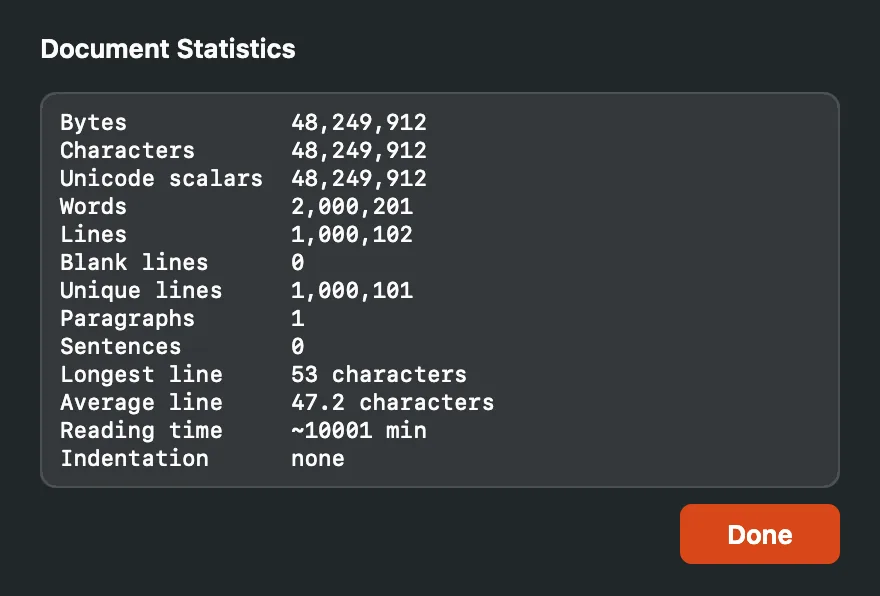
Statistics for a whole document. The values are selectable text.
Convert fixed-width text to columns
CSV ▸ Convert Fixed-Width to Columns… works from the text view, and is Caxton Pro like the other commands that write new data from a file. Type the Widths of the columns in characters (10, 8, 12), choose the Delimiter for the output (Comma (CSV), Tab (TSV) or Semicolon), and leave Trim spaces in each cell on to drop the padding. The form previews the first line as you type. Convert to New Document writes every line to a new delimited document; text past the last width becomes a final column, and the original file is not changed.
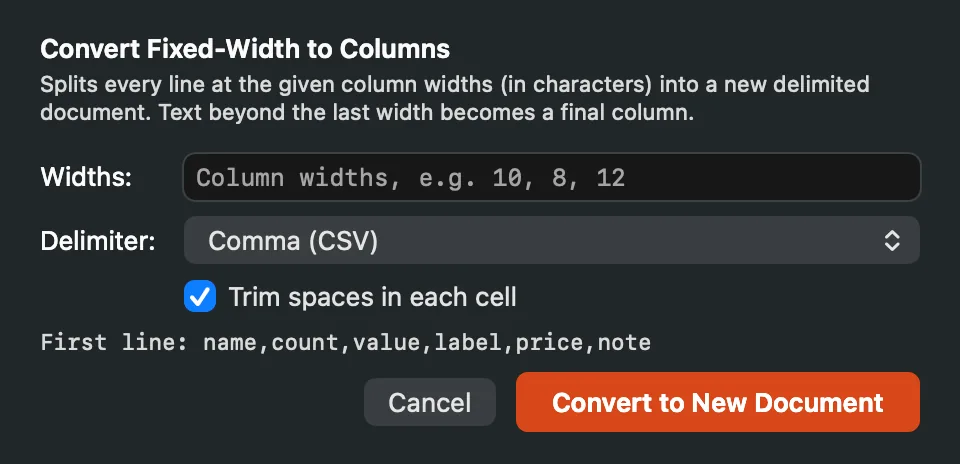
The preview line shows how the first line of the file splits.
The conversion streams, so it works at any file size. It is listed in the Operations panel while it runs, and closing the window stops it.
Saving
Saves are atomic by default: the file is rewritten alongside and swapped in, so a crash mid-save can never leave a truncated original. Saving scattered edits to a 10 GB log costs an 11.3 s full rewrite (measured). When every edit keeps its byte length (same-length overwrites, fewer than 1,000 changed regions of up to 8 MB each), Caxton patches the file in place instead, much faster, protected by a patch journal; any edit that changes a length takes the full rewrite (see Sessions & Recovery).